Facebook
 Twitter
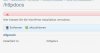
A large number of our WordPress installation are unrecognized by the toolkit and are showing as "\httpdocs" instead of the domain name and they are showing the following error. It appears that the unrecognized installation were updated to WordPress 4.4, we still got a few domain showing properly and those are running Wordpress 4.3.1
{"err_code":40001,"err_message":"Unable to read or execute files from WordPress root directory: E:\\Inetpub\\vhosts\\domain.com\\httpdocs\/"}
{"err_code":40003,"err_message":"Unable to read or execute files from wp-admin\/includes directory': E:\\Inetpub\\vhosts\\domain.com\\httpdocs\/wp-admin\/includes"}
{"err_code":40004,"err_message":"Unable to read or execute files from wp-includes directory: E:\\Inetpub\\vhosts\\domain.com\\httpdocs\/wp-includes"}
{"err_code":40005,"err_message":"Unable to read or execute files from wp-content directory: E:\\Inetpub\\vhosts\\domain.com\\httpdocs\/wp-content"}
Please advice
{"err_code":40001,"err_message":"Unable to read or execute files from WordPress root directory: E:\\Inetpub\\vhosts\\domain.com\\httpdocs\/"}
{"err_code":40003,"err_message":"Unable to read or execute files from wp-admin\/includes directory': E:\\Inetpub\\vhosts\\domain.com\\httpdocs\/wp-admin\/includes"}
{"err_code":40004,"err_message":"Unable to read or execute files from wp-includes directory: E:\\Inetpub\\vhosts\\domain.com\\httpdocs\/wp-includes"}
{"err_code":40005,"err_message":"Unable to read or execute files from wp-content directory: E:\\Inetpub\\vhosts\\domain.com\\httpdocs\/wp-content"}
Please advice