Facebook
 Twitter
- Server operating system version
- Ubuntu 24.04 LTS
- Plesk version and microupdate number
- 18.0.62
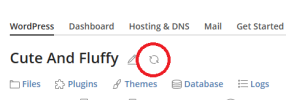
I had migrated a Wordpress website from cPanel and somehow the content ended up in httpdocs/httpdocs, causing a nested httpdocs. I moved the content to httpdocs and deleted the nested httpdocs folder, but now my WP Toolkit is showing the error:
Scanning for WordPress websites was performed with errors:
Any ideas?
Scanning for WordPress websites was performed with errors:
- Subscription "example.com": Failed to reset cache for the instance #9: filemng: Failed to change directory to /var/www/vhosts/example.com/httpdocs/httpdocs: No such file or directory System error 2: No such file or directory filemng: Failed to change directory to /var/www/vhosts/example.co /httpdocs/httpdocs: No such file or directory System error 2: No such file or directory
Any ideas?