• The new Python extension is now available. It allows customers to deploy and manage WSGI-based Python applications on their websites directly from Plesk.
  • The Plesk Mobile apps for iOS and Android and the Plesk Mobile Center extension have been deprecated, and are no longer available for new installations. In Plesk Obsidian 18.0.84, the Plesk Mobile Center extension will be removed from servers during the upgrade, and the Plesk Mobile apps will lose their server management features.
  • The Social Login extension has been deprecated and will be removed in Plesk Obsidian 18.0.84. After that, it will no longer be possible to log in to Plesk with a Google, Facebook, GitHub account, or with a passkey. Plesk usernames and passwords, as well as logging in with a WebPros Account, are not affected.

Issue WP toolkit Update progress sign is no longer shown

jorge ceballos

Regular Pleskian
Server operating system version
Almalinux 8.10
Plesk version and microupdate number
Plesk Obsidian 18.0.75 Web Host Edition
Hi,

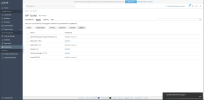
Some days ago noticed that WP toolkit updates progress sign is no longer shown when updating plugins or themes, either chosen individually or selecting several at the same time. Error sign is not shown either.
Please notice updates do take place as requested, only the sign showing they are going on is the non-working part

Reviewed logs such as /usr/local/psa/admin/logs/panel.log and nothing is shown there when updated correctly, only errors like when trying to update a pay plugin are logged shown as"unkown error" but nothing else.

Any idea?

TIA
 
Hello, @jorge ceballos . I am unable to replicate the behavior on a test environment with Almalinux 8 and Plesk 18.0.75. Are there any specific steps that must be performed other than updating plugins? If not, please temporarily enable debug mode in Plesk, reproduce the issue, and double-check if any more verbose entries are logged into /var/log/plesk/panel.log.
 

Attachments

  • Screenshot 2026-02-03 194532.png
    Screenshot 2026-02-03 194532.png
    165.7 KB · Views: 4
Thanks @Sebahat.hadzhi, and yes, that sign in the lower right side is the one that is no longer shown.

Updated panel.ini log debug.
Updated a template and log recorded all the actions with previous sign DEBUG in /var/log/plesk/panel.log
Reviewing the records can't find much, what should I look for?
 
Could you provide the log snipped from roughly the time you performed the plugin/theme update, please? I am not entirely sure what the log entry should be as this is the first time I am coming across a similar issue.
 
Back
Top