• The new Python extension is now available. It allows customers to deploy and manage WSGI-based Python applications on their websites directly from Plesk.
  • The Plesk Mobile apps for iOS and Android and the Plesk Mobile Center extension have been deprecated, and are no longer available for new installations. In Plesk Obsidian 18.0.84, the Plesk Mobile Center extension will be removed from servers during the upgrade, and the Plesk Mobile apps will lose their server management features.
  • The Social Login extension has been deprecated and will be removed in Plesk Obsidian 18.0.84. After that, it will no longer be possible to log in to Plesk with a Google, Facebook, GitHub account, or with a passkey. Plesk usernames and passwords, as well as logging in with a WebPros Account, are not affected.

Issue Wrong "used hard disk space" // mail-accounts

ThiloS

Basic Pleskian
Server operating system version
Ubuntu 24.04.5
Plesk version and microupdate number
18.0.82 #2
Hi there,

on my server there are several customers. Two of them have a strange hard disk space quota behaviour.
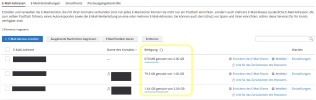
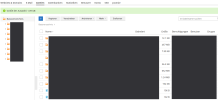
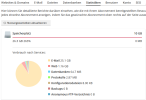
The server states that the customers are using for example 25 GBs of mail space - but in real life the mail-accounts show just 2.3 GB.

It happened from one day to the other, and i'm pretty sure both customers are using iPhones.

Recalculating the space (for the abonnements or the mail accounts - doesn't do anything...)

i attach anonymized screens.

Any hints on what to do?
 

Attachments

  • screen1.png
    screen1.png
    90.7 KB · Views: 6
  • screen2.png
    screen2.png
    47.6 KB · Views: 6
  • screen3.png
    screen3.png
    31 KB · Views: 6
  • screen4.png
    screen4.png
    32.7 KB · Views: 5
Hi Kaspar,

thanks for the hint.
but well - no - the .Trash folder had about 100 MB. - which i deleted... But the difference between the real used 2.4 GB and the calculated 26 GB is much more :)

When i go with

du -sh /var/qmail/mailnames/DOMAIN.de/
i get
13G
du -shl /var/qmail/mailnames/DOMAIN.de/
makes it 26G

in comparison with the 2G used space in Screen 2 in the first posting it makes really a big difference...

So i kind of have to look for other strange (hidden?) folders via SSH?
 
Strange... the "Maildir"-folder of one account shows 11G
When i switch to the folder i get a list of only very small folders:

84M cur
4.0K dovecot-keywords
40K dovecot-uidlist
4.0K dovecot-uidvalidity
0 dovecot-uidvalidity.62386b11
12K dovecot.index
644K dovecot.index.cache
4.0K dovecot.index.log
40K dovecot.index.log.2
20K dovecot.list.index
4.0K dovecot.list.index.log
4.0K dovecot.mailbox.log
8.0K dovecot.mailbox.log.2
4.0K maildirsize
4.0K new
4.0K subscriptions
4.0K tmp

Nothing more...?
 
Hi @ThiloS,

glad you found it. The difference between du -sh (13G) and du -shl (26G) is a good hint: -l counts every hardlink separately. So the files in tmp are most likely hardlinked to the real messages in cur/new, and Plesk counts them twice. Dovecot normally removes the tmp entry once delivery is finished, so leftovers usually mean interrupted or failed APPENDs. That is quite common with iOS Mail when it uploads large attachments over a flaky connection (it also fits that it started on the same day for two iPhone users).

First check what is in there (adjust path and account). It lists link count, date, size and path:
Code:
find /var/qmail/mailnames/DOMAIN.de/USER/Maildir -path '*/tmp/*' -type f -printf '%n %TY-%Tm-%Td %s %p\n' | sort -k2 | head -50

Total size of all tmp contents:
Code:
find /var/qmail/mailnames/DOMAIN.de/USER/Maildir -path '*/tmp/*' -type f -printf '%s\n' | awk '{s+=$1} END {print s/1024/1024 " MB"}'

Files with link count 2 that are older than 2 days are safe to delete, because the message stays available through the other link. Files with link count 1 are the only copy, so look at those before removing anything. A quick list of the candidates:
Code:
find /var/qmail/mailnames/DOMAIN.de/USER/Maildir -path '*/tmp/*' -type f -links +1 -mtime +2 -ls

Make a backup first if you are unsure. After cleaning up, recalculate the quota:
Code:
doveadm quota recalc -u [email protected]

Then refresh the usage statistics in Plesk. Also keep in mind that the subfolders (.Sent, .Drafts, .Archive etc.) start with a dot, so you only see them with ls -la. Their tmp folders count as well. To stop it from coming back, check the mail log for repeated APPEND errors or connection drops from the iPhones:
Code:
grep -i append /var/log/maillog | tail -50

On Debian/Ubuntu the file may be /var/log/mail.log instead, depending on your setup. If you see the same client looping on a large message in Sent or Drafts, remove that message or have the customer re-add the account on the iPhone.

Warning: This is a customer mailbox, so please don't just delete things in there without a safety net. Make a backup (or at least a copy of the tmp folders) first, only touch files that are clearly leftovers (link count 2, older than 2 days), and ideally tell the customer beforehand. Deleting the wrong file can mean lost mail that is hard to get back.

Regards
Tessa
 
Back
Top