• Halloween is coming! To celebrate the occasion, we dusted off a couple of old skins, and even created a brand new one (Pixel).
    To get into the festive spirit, install the Skins extension.
  • The new Python extension is now available. It allows customers to deploy and manage WSGI-based Python applications on their websites directly from Plesk.
  • The Plesk Mobile apps for iOS and Android and the Plesk Mobile Center extension have been deprecated, and are no longer available for new installations. In Plesk Obsidian 18.0.84, the Plesk Mobile Center extension will be removed from servers during the upgrade, and the Plesk Mobile apps will lose their server management features.
  • The Social Login extension has been deprecated and will be removed in Plesk Obsidian 18.0.84. After that, it will no longer be possible to log in to Plesk with a Google, Facebook, GitHub account, or with a passkey. Plesk usernames and passwords, as well as logging in with a WebPros Account, are not affected.

Issue xmri Infected

Inma

Regular Pleskian
Server operating system version
Debian
Plesk version and microupdate number
18.0.55
This server has had an infected hosting which created these files and ran that command using the FTP user and there was no way to stop it, every reboot and change of ftp data... was re-run

that hosting no longer has a web site only mail . So in theory we thought it was fixed but NO, now run this with user 10007

I search xmri no longer shows me any files because the infected website has NO website or place to upload files or infected files... any ideas ?
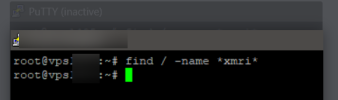
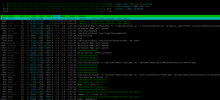
1698501437784.png


1698501115480.png
 
You could try to run maldetect (that's a third party tool) to scan all files on the server for malware, because there might still be infected files on the server if the software managed to access the root level. You should also check that your /tmp partition (or directory) do not have any file execution permissions.
 
hello, yesterday I rebooted the machine and it has already disappeared that attacker... I keep checking and check the permissions of /tmp and scan in Immunify and maldetect.

Thanks
 
Back
Top