Facebook
 Twitter
technique-web
New Pleskian
- Server operating system version
- Debian 10.13
- Plesk version and microupdate number
- Plesk Obsidian 18.0.49
Hi,
I've installed WP OPcache Wordpress Plugin and it show this message :
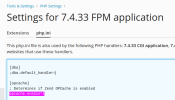
It's also OK in php.ini :
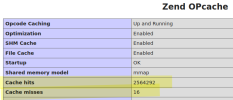
phpinfo says it's OK :
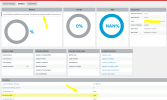
But the problem remains and the plugin do not display any data about opcache usage :
I'm not sure but I thing this is can be the problem root :
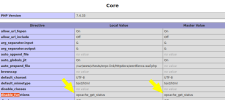
Maybe the plugin can't read the opcache status since the function is disabled, I've tried many things but nothing happened
- I've followed the solution given here : Issue - Unable to change php.ini "disable_functions" globally
- I've enabled opcache in /opt/plesk/php/7.4/etc/php.d/10-opcache.ini (I don't understand why Plesk uses this file !)
Here some details about my server :
OS: Debian 10.13
Product: Plesk Obsidian 18.0.49
What's wrong with opcache under plesk ?
I've installed WP OPcache Wordpress Plugin and it show this message :
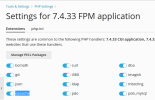
I've enabled opcache extension from Tools & Settings > PHP Settings > Settings for 7.4.33 FPM application :Zend OPcache is loaded but not activated. You need to set opcache.enable=1 in your php.ini
It's also OK in php.ini :
phpinfo says it's OK :
But the problem remains and the plugin do not display any data about opcache usage :
I'm not sure but I thing this is can be the problem root :
Maybe the plugin can't read the opcache status since the function is disabled, I've tried many things but nothing happened
- I've followed the solution given here : Issue - Unable to change php.ini "disable_functions" globally
- I've enabled opcache in /opt/plesk/php/7.4/etc/php.d/10-opcache.ini (I don't understand why Plesk uses this file !)
Here some details about my server :
OS: Debian 10.13
Product: Plesk Obsidian 18.0.49
What's wrong with opcache under plesk ?