Facebook
 Twitter
sir_luscious_left_foot
New Pleskian
System
12.0.18 CentOS 6 1200150126.15
micro update - 48
trying to restore a backup from a different plesk 12 server but it keeps giving me this error
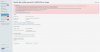
Internal error.
ERROR: Zend_Controller_Exception: Permission denied.#0 /usr/local/psa/admin/plib/CommonPanel/Controller/Action/Abstract.php(191): CommonPanel_Controller_Action_Abstract->_checkForgeryProtectionToken()
#1 /usr/local/psa/admin/externals/Zend/Controller/Action.php(502): CommonPanel_Controller_Action_Abstract->preDispatch()
#2 /usr/local/psa/admin/externals/Zend/Controller/Dispatcher/Standard.php(295): Zend_Controller_Action->dispatch('errorAction')
#3 /usr/local/psa/admin/externals/Zend/Controller/Front.php(954): Zend_Controller_Dispatcher_Standard->dispatch(Object(Zend_Controller_Request_Http), Object(Zend_Controller_Response_Http))
#4 /usr/local/psa/admin/plib/Application/Web.php(38): Zend_Controller_Front->dispatch(NULL)
#5 /usr/local/psa/admin/htdocs/application.php(15): Plesk\Application_Web->run()
#6 {main} (Broker.php:336)
I have tried the solution here http://kb.odin.com/en/122077
but it hasn't fixed my problem
The backup was saved on a personal ftp repository
could that be the issue ?
12.0.18 CentOS 6 1200150126.15
micro update - 48
trying to restore a backup from a different plesk 12 server but it keeps giving me this error
Internal error.
ERROR: Zend_Controller_Exception: Permission denied.#0 /usr/local/psa/admin/plib/CommonPanel/Controller/Action/Abstract.php(191): CommonPanel_Controller_Action_Abstract->_checkForgeryProtectionToken()
#1 /usr/local/psa/admin/externals/Zend/Controller/Action.php(502): CommonPanel_Controller_Action_Abstract->preDispatch()
#2 /usr/local/psa/admin/externals/Zend/Controller/Dispatcher/Standard.php(295): Zend_Controller_Action->dispatch('errorAction')
#3 /usr/local/psa/admin/externals/Zend/Controller/Front.php(954): Zend_Controller_Dispatcher_Standard->dispatch(Object(Zend_Controller_Request_Http), Object(Zend_Controller_Response_Http))
#4 /usr/local/psa/admin/plib/Application/Web.php(38): Zend_Controller_Front->dispatch(NULL)
#5 /usr/local/psa/admin/htdocs/application.php(15): Plesk\Application_Web->run()
#6 {main} (Broker.php:336)
I have tried the solution here http://kb.odin.com/en/122077
but it hasn't fixed my problem
The backup was saved on a personal ftp repository
could that be the issue ?