• The APS Catalog has been deprecated and removed from all Plesk Obsidian versions.
    Applications already installed from the APS Catalog will continue working. However, Plesk will no longer provide support for APS applications.
  • Please be aware: with the Plesk Obsidian 18.0.78 release, the support for the ngx_pagespeed.so module will be deprecated and removed from the sw-nginx package.

Resolved Accessing server system files with File Manager

seqoi

Regular Pleskian
Hi.

I have root access but i am not able to figure out (as you can see i am new to plesk) am i able to use same Plesk file manager to browse server system folders.

Example when i log in to Plesk this is what i see (file1.jpg)
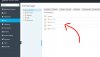
files1.jpg

but is it possible for me to use same file manager but to see these files
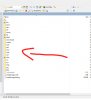
files2.jpg

Just asking. So far i am unable to go out of web home directory...I have PleskWebAdmin edition...
 
Hi seqoi,

Just asking. So far i am unable to go out of web home directory...I have PleskWebAdmin edition...
No, it is NOT possible to use the Plesk Control Panel to list and navigate in the root directory.
 
If you're not comfortable with using the command line, you CAN view the files using SFTP, with a normal FTP client such as FileZilla. Care is still needed, though, as you'll be accessing the server as root, presumably, and could cause significant damage if you make changes.
 
If you're not comfortable with using the command line, you CAN view the files using SFTP, with a normal FTP client such as FileZilla. Care is still needed, though, as you'll be accessing the server as root, presumably, and could cause significant damage if you make changes.
Yeah i am just using SSH and that's it. I was curious that is all.

I am VERY new to plesk and i have ton of question.

So far Plesk seems way way ahead of Cpanel experience for me and i am actually very very happy. Just trying to know Plesk workflow that's all. Thanks for helping.
 
If you're not comfortable with using the command line, you CAN view the files using SFTP, with a normal FTP client such as FileZilla. Care is still needed, though, as you'll be accessing the server as root, presumably, and could cause significant damage if you make changes.
hi, how do you do this, where do you set up that accoutn/sftp details in plesk? thanks
 
Back
Top