
 Facebook
 Twitter
Dukemaster
Regular Pleskian
Hi,
wish You a happy new year. That's the real reason why I'm here. You helped me so much last year.
Issue is real, but for me not important
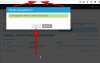
When the spinner.gif stops rotating and you get the message that all updates were successfully installed the expected glowing of the OK button doesn't switch from disabled to active. Also not by reloading the website or F12 (hope it's the right one, lol).
This problem arised only by Update #13, before, it was not existing.
The second unimportant little issue is that it seems that Plesk don't stop showing the update after success for around 6-12 hours. But I think that this is a especially wanted by the developers.
Wish You all the best and thanks for great support and friendly handshakes
wish You a happy new year. That's the real reason why I'm here. You helped me so much last year.
Issue is real, but for me not important
When the spinner.gif stops rotating and you get the message that all updates were successfully installed the expected glowing of the OK button doesn't switch from disabled to active. Also not by reloading the website or F12 (hope it's the right one, lol).
This problem arised only by Update #13, before, it was not existing.
The second unimportant little issue is that it seems that Plesk don't stop showing the update after success for around 6-12 hours. But I think that this is a especially wanted by the developers.
Wish You all the best and thanks for great support and friendly handshakes
Attachments
Last edited:


