
 Facebook
 Twitter
Mr.42
New Pleskian
After installing the Free options of the Amazon S3 Extension I only got a blank page on My Extensions.
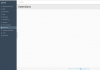
I had to manually uninstall the extension to get a working page again.
My Extensions fixed!
root@srv:~# plesk bin extension -l
composer - PHP Composer
configurations-troubleshooter - Webserver Configurations Troubleshooter
firewall - Firewall
git - Git
grafana - Grafana
letsencrypt - Let's Encrypt
monitoring - Advanced Monitoring
nextcloud - Nextcloud
panel-ini-editor - Panel.ini Editor
repair-kit - Repair Kit
s3-backup - Amazon S3 Backup
social-login - Social Login
ssh-keys - SSH Keys Manager
sslit - SSL It!
uptime-robot - Uptime Robot
I had to manually uninstall the extension to get a working page again.
root@srv:~# plesk bin extension --uninstall s3-backup
The extension was successfully removed.
My Extensions fixed!


