Facebook
 Twitter
Server OS: Ubuntu 24.04.4 LTS
Plesk version: 18.0.77 Update #1 Web Pro Edition
SYMPTOMS:
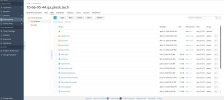
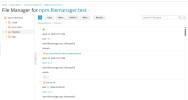
File Manager list view displays metadata (date, permissions, owner, group) in broken vertical layout for directories owned by group "psaserv".
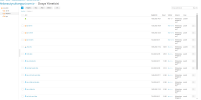
Directories with group "psacln" display correctly.
REPRODUCE:
1. Open File Manager on any domain
2. Navigate to httpdocs (group: psaserv)
→ Layout broken: metadata stacks vertically
3. Enter any subfolder (group: psacln)
→ Layout correct: normal table columns
CAUSE: Regression introduced in 18.0.77 accessibility/WCAG refactoring.
The file list renderer appears to handle psaserv and psacln entries
through different code paths, breaking the layout for psaserv entries.
EXPECTED: Consistent layout regardless of file group ownership.
Plesk version: 18.0.77 Update #1 Web Pro Edition
SYMPTOMS:
File Manager list view displays metadata (date, permissions, owner, group) in broken vertical layout for directories owned by group "psaserv".
Directories with group "psacln" display correctly.
REPRODUCE:
1. Open File Manager on any domain
2. Navigate to httpdocs (group: psaserv)
→ Layout broken: metadata stacks vertically
3. Enter any subfolder (group: psacln)
→ Layout correct: normal table columns
CAUSE: Regression introduced in 18.0.77 accessibility/WCAG refactoring.
The file list renderer appears to handle psaserv and psacln entries
through different code paths, breaking the layout for psaserv entries.
EXPECTED: Consistent layout regardless of file group ownership.