
 Facebook
 Twitter
Charlie_Davey
New Pleskian
Hi,
I hope someone can help.
server: Parallels Plesk v12.0.18_build1200140606.15 os CentOS 6.5 (Final)
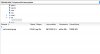
When i connect to a domain via a ftp client (Filezilla) i cannot see files that have been uploaded via my cms but when i view the same same directory using the Plesk File manager they are there (also viewable via the http address).
I can see the folder structure find via ftp. I thought it might be a permission so i have tried setting the chmod to 777 but still cannot see them via ftp.
If i upload a file via ftp client it is viewable via ftp client and the Plesk file manager. The ideal solution i would like is to view all files via filezilla not just Plesk file manager.
Hope someone can point me in the right direction?
Thanks
I hope someone can help.
server: Parallels Plesk v12.0.18_build1200140606.15 os CentOS 6.5 (Final)
When i connect to a domain via a ftp client (Filezilla) i cannot see files that have been uploaded via my cms but when i view the same same directory using the Plesk File manager they are there (also viewable via the http address).
I can see the folder structure find via ftp. I thought it might be a permission so i have tried setting the chmod to 777 but still cannot see them via ftp.
If i upload a file via ftp client it is viewable via ftp client and the Plesk file manager. The ideal solution i would like is to view all files via filezilla not just Plesk file manager.
Hope someone can point me in the right direction?
Thanks


