• Debian 11 is approaching its end-of-life (vendor EOL date - August 31, 2026). Plesk Obsidian 18.0.80 will be the last release to support it.
    If you are running Plesk Obsidian on Debian 11, we recommend you upgrade those servers to Debian 12 using our dist-upgrade tool.
  • We plan to deprecate and remove the support for XML RPC protocol versions earlier than 1.6.9.1 in Plesk Obsidian 18.0.82. We strongly recommend that you update all existing integrations using earlier versions of the XML RPC protocol to comply with the version 1.6.9.1 specification.

Question cronjob on plesk

alli81

New Pleskian
hello
i need to use a cronjob for a script

I added a cronjob but i not undestand if work or not.
Author of the script told me the problem is on the cronjob.

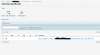
This is how i set my cronjob
instagram.png

How i can check it?
Maybe i have to active cronjob on other place?

Thank you
 
That one routes the output - including any error messages - to /dev/null. So the first thing would be to change that to a suitable log file location, so you can see if it produces any messages.
 
I would also suggest you use full path to wget command like /usr/bin/wget
 
Back
Top