• The APS Catalog has been deprecated and removed from all Plesk Obsidian versions.
    Applications already installed from the APS Catalog will continue working. However, Plesk will no longer provide support for APS applications.
  • Please be aware: with the Plesk Obsidian 18.0.78 release, the support for the ngx_pagespeed.so module will be deprecated and removed from the sw-nginx package.

Domain logs. Hacking?

kojot

Regular Pleskian
Hello,
I found this option in plesk, and I open it to see logs.
And now, I'm verry frightened because I see that someone "Accessed"
logs.PNG

What is that logs? And how to prevent this?
 
I saw that my colleague turned off firewall because he had problem with loging via FTP from home...

Now, I'm turned back firewall on and I have those two lines in my log.

upload_2015-11-13_10-38-16.png
 
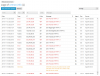
The change in the way plesk presents the logs can cause some frustration. The 'access' comments just signify that the entries are from one of the access logs. All site trafic, normal or otherwise gets logged in the access logs.

There is nothing wrong with these entries. Point to note most of the 'errors' I see are just the lack of a 'robots.txt' file on the domain.

I'd definitely repremand your colleague over disabling the firewall. If one person can't access the ftp whilst others can then there's no problem with the server - unless their IP or client has been blacklisted/blocked.

Post #2 I can't reply 100% with my lack of experience with that error - other than to say it looks like something was enabled (an Apache module) without a setting, and was disabled by your server. Hence the 'warning' and not 'error'.
 
Last edited:
Back
Top