
 Facebook
 Twitter
-
The new Python extension is now available. It allows customers to deploy and manage WSGI-based Python applications on their websites directly from Plesk.
-
Debian 11 has reached its end-of-life (vendor EOL date - August 31, 2026). Plesk Obsidian 18.0.81 is the last release to support it.
If you are running Plesk Obsidian on Debian 11, we recommend you upgrade those servers to Debian 12 using our dist-upgrade tool.
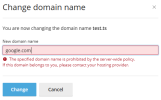
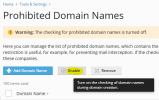
Resolved domain restriction not working in some cases
- Thread starter Dmytro
- Start date


 , I thought it's enabled by default, sorry. I'll check