Follow along with the video below to see how to install our site as a web app on your home screen.
Note: This feature may not be available in some browsers.
The APS Catalog has been deprecated and removed from all Plesk Obsidian versions. Applications already installed from the APS Catalog will continue working. However, Plesk will no longer provide support for APS applications.
Please be aware: with the Plesk Obsidian 18.0.78 release, the support for the ngx_pagespeed.so module will be deprecated and removed from the sw-nginx package.
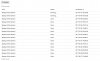
The dropbox extension has been running ok - apart from the past few days 2 websites are stuck with the status "running" and fail to complete.
Any idea why this happens (no errors) and how to resolve ? Thanks.
Hello,
That hasn't worked - I've even deleted the plugin and tried again. Same problem.
The website is being backed up as I'm receiving log errors: @ESCAPE_VALUE_BEGIN@[719f888e-5726-4d59-8602-e109b8683a10]: Unable to get attributes of the file C:\Domains\domain.com\logs\iis\W3SVC32\u_extend505.log: The process cannot access the file because it is being used by another process. The file will not be archived. [:90502132] @ESCAPE_VALUE_END@
The dropbox plugin doesn't want to send the backup file to my dropbox account for some reason.
File C:\Domains\domain.com\logs\iis\W3SVC32\u_extend505.log is IIS log and being used by IIS for statistics calculation, for example. Just try to exclude log files from backup.
Hello,
As far as I'm aware you cannot exclude log files using the Dropbox extension ?
Perhaps you could add this as a feature as the log error messages are a pain and are perhaps the reason why certain backups are failing ?
I now have 3 websites refusing to send to Dropbox. The other 30 or so are fine, but these are websites below 1GB.
The 3 websites which are being backed up but not transferring to Dropbox are around 2.5GB, 5.5GB and 32GB.
