• The APS Catalog has been deprecated and removed from all Plesk Obsidian versions.
    Applications already installed from the APS Catalog will continue working. However, Plesk will no longer provide support for APS applications.
  • Please be aware: with the Plesk Obsidian 18.0.78 release, the support for the ngx_pagespeed.so module will be deprecated and removed from the sw-nginx package.

Enable APC on vps

max

New Pleskian
hello , I have a VPS with CentOS 6.7 x64 , I want to install apc for a joomla component.
In the php version that I see , however, the use of the module is enabled, but in previous releases it ..
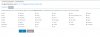
I attach screenshots
how to enable in version 5.4.45 ?
 

Attachments

  • screenshot-185.56.219.165 8443 2016-03-02 12-46-11.jpg
    screenshot-185.56.219.165 8443 2016-03-02 12-46-11.jpg
    240.7 KB · Views: 4
  • screenshot-185.56.219.165 8443 2016-03-02 12-46-59.jpg
    screenshot-185.56.219.165 8443 2016-03-02 12-46-59.jpg
    246 KB · Views: 3
  • screenshot-www.cosmed.healthcare 2016-03-02 14-08-37.jpg
    screenshot-www.cosmed.healthcare 2016-03-02 14-08-37.jpg
    243.5 KB · Views: 2
It's so easy!

1. Install all necessary packages for compiling apc module:

# yum install make plesk-php54-devel gcc glibc-devel zlib-devel

2. Compile apc module:

# /opt/plesk/php/5.4/bin/pecl install apc

3. Add extension to corresponding ini file:

# echo "extension=apc.so" > /opt/plesk/php/5.4/etc/php.d/apc.ini

4. Reread php handlers:

# plesk bin php_handler --reread

5. Go to Tools&Settings -> PHP Settings -> 5.4.xxxx

6. Enjoy the view of the installed apc module :)
 
Hello , I have a Dedicate server with Debian 8 Plesk Onyx 17.0.17 Update #7 , I want to install apc for a Wordpress. (Don't need to do by Docker as it make the issue now)
How to enable in version PHP 7 ?
 
Back
Top