• Debian 11 is approaching its end-of-life (vendor EOL date - August 31, 2026). Plesk Obsidian 18.0.80 will be the last release to support it.
    If you are running Plesk Obsidian on Debian 11, we recommend you upgrade those servers to Debian 12 using our dist-upgrade tool.
  • We plan to deprecate and remove the support for XML RPC protocol versions earlier than 1.6.9.1 in Plesk Obsidian 18.0.82. We strongly recommend that you update all existing integrations using earlier versions of the XML RPC protocol to comply with the version 1.6.9.1 specification.

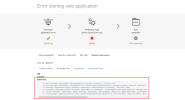
Issue Error starting web application. nextJs Installaton Error.

Gagandeep

New Pleskian
Server operating system version
Ubuntu 20.04.1 LTS
Plesk version and microupdate number
Plesk Obsidian Version 18.0.60
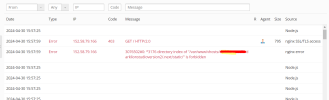
After setup NextJs on my plesk server. I'm facing this issue on webpage.

1714469900236.png
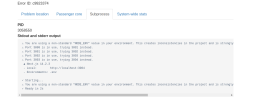
Here I'm sharing the Subprocess as well

1714470000158.png
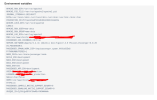
1714470090585.png
 
You have NODE_ENV set to "dev". Per nextjs, that value can only be 1 of 3 things:
  • production: When your application is built with next build
  • development: When your application is run with next dev
  • test: When your application is being tested (e.g. jest)
 
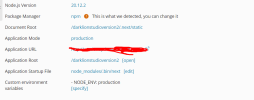
I have set it to NODE_ENV: production. Still I'm facing 403 Error. I'm not quite sure what permission stopping it to run.
1714492793596.png
1714492827129.png
 
Maybe check fail2ban or Web Application Firewall "WAF" to see if they are blocking. Also, it seems odd that a document root location would start with a "." as shown in your screenshot....so check to make sure your public and app roots as seen by Plesk are correct. I could be wrong on that...but that looked odd to me.
 
Back
Top