• Debian 11 is approaching its end-of-life (vendor EOL date - August 31, 2026). Plesk Obsidian 18.0.80 will be the last release to support it.
    If you are running Plesk Obsidian on Debian 11, we recommend you upgrade those servers to Debian 12 using our dist-upgrade tool.
  • We plan to deprecate and remove the support for XML RPC protocol versions earlier than 1.6.9.1 in Plesk Obsidian 18.0.82. We strongly recommend that you update all existing integrations using earlier versions of the XML RPC protocol to comply with the version 1.6.9.1 specification.

Resolved error while removing java application from plesk

shashank

New Pleskian
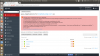
Unknown error 0xC00CE508 (COM Error C00CE508)
at addDeleteFile 'C:\Program Files (x86)\Parallels\Plesk\var\tomcat\psa-webapps\mylifebuddy.com\belleza.war' for service 'Tomcat7'
at (PleskSrvClient::addDeleteFile line 571)
at stopWebApp(mylifebuddy.com, belleza)(TomcatManager::stopWebApp line 408)
at removeWebApp(mylifebuddy.com, belleza)(TomcatManager::removeWebApp line 431)
at execute console command --remove-webapp(vconsoleapp::start line 100)
at execute "C:\Program Files (x86)\Parallels\Plesk\admin\bin\tomcatmng.exe" --remove-webapp "--vhost-name=mylifebuddy.com" "--webapp-name=belleza" "--aliases=tmp5195.tmp"(vconsoleapp::run line 117)
(Error code 1)
 

Attachments

  • removeapplication.png
    removeapplication.png
    213.6 KB · Views: 4
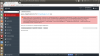
Error: Unable to start up Java application: Unknown error 0xC00CE508 (COM Error C00CE508) at addDeleteFile 'C:\Program Files (x86)\Parallels\Plesk\var\tomcat\psa-webapps\myeduguru.in\EduClasses.war' for service 'Tomcat7' at (PleskSrvClient::addDeleteFile line 571) at startWebApp(myeduguru.in, EduClasses)(TomcatManager::startWebApp line 388) at execute console command --install-webapp(vconsoleapp::start line 100) at execute "C:\Program Files (x86)\Parallels\Plesk\admin\bin\tomcatmng.exe" --install-webapp "--vhost-name=myeduguru.in" "--webapp-name=EduClasses" "--aliases=tmp9339.tmp"(vconsoleapp::run line 117) (Error code 1)
 

Attachments

  • adding application error.png
    adding application error.png
    188.1 KB · Views: 1
Hello Guys,
I am experiencing this problem for last 5 days. whenever i try to upload new war file on my VPS it gives me the Error below:-
" Error: Unable to start up Java application: Unknown error 0xC00CE508 (COM Error C00CE508) at addDeleteFile 'C:\Program Files (x86)\Parallels\Plesk\var\tomcat\psa-webapps\mydomainname\myproject.war' for service 'Tomcat7' at (PleskSrvClient::addDeleteFile line 571) at startWebApp(mydomainname, myproject)(TomcatManager::startWebApp line 388) at execute console command --install-webapp(vconsoleapp::start line 100) at execute "C:\Program Files (x86)\Parallels\Plesk\admin\bin\tomcatmng.exe" --install-webapp "--vhost-name=mydomainname" "--webapp-name=myproject" "--aliases=tmp221C.tmp"(vconsoleapp::run line 117) (Error code 1) "

this is the case with each and every action that i am trying to take eg- deleting the existing project, creating new mailing list, accessing web-mails, sending bulk mails. Each and every domain on VPS has been affected by this issue.
I googled about it, some people have suggested that it is because some .xml has corrupted. Has anyone experienced any such error/issue and what did you do to resolve it ?
 
Back
Top