
 Facebook
 Twitter
Pandy_Legend
New Pleskian
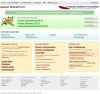
I am currently unable to access the Plesk control panel except from the web server itself. When I try any of the following options, all work on the server itself but externally all I get is the default Tomcat page.
https://server_name:8443
https://anydomain.com:8443
https://local_ip_address:8443
https://external_ip_address:8443
I don't know if the problem is on the server itself or something within our firewall - we use Microsoft Forefront TMG. The port 8443 is open, and the Tomcat page is being served. All websites working fine, both internally and externally. The server itself is in a DMZ on the network.
The server is running Centos 7 with Plesk 12.
Edit:
I just noticed that when adding a new domain, I am warned that the domain resolves to another IP address - the external one. Currently, the IP address set up in Plesk is the internal (192.168...) address. Could it be that I need to change this to the external?
https://server_name:8443
https://anydomain.com:8443
https://local_ip_address:8443
https://external_ip_address:8443
I don't know if the problem is on the server itself or something within our firewall - we use Microsoft Forefront TMG. The port 8443 is open, and the Tomcat page is being served. All websites working fine, both internally and externally. The server itself is in a DMZ on the network.
The server is running Centos 7 with Plesk 12.
Edit:
I just noticed that when adding a new domain, I am warned that the domain resolves to another IP address - the external one. Currently, the IP address set up in Plesk is the internal (192.168...) address. Could it be that I need to change this to the external?
Attachments
Last edited:
