• Debian 11 is approaching its end-of-life (vendor EOL date - August 31, 2026). Plesk Obsidian 18.0.80 will be the last release to support it.
    If you are running Plesk Obsidian on Debian 11, we recommend you upgrade those servers to Debian 12 using our dist-upgrade tool.
  • We plan to deprecate and remove the support for XML RPC protocol versions earlier than 1.6.9.1 in Plesk Obsidian 18.0.82. We strongly recommend that you update all existing integrations using earlier versions of the XML RPC protocol to comply with the version 1.6.9.1 specification.

Question Fail to point my domain to nameservers

hncf

New Pleskian
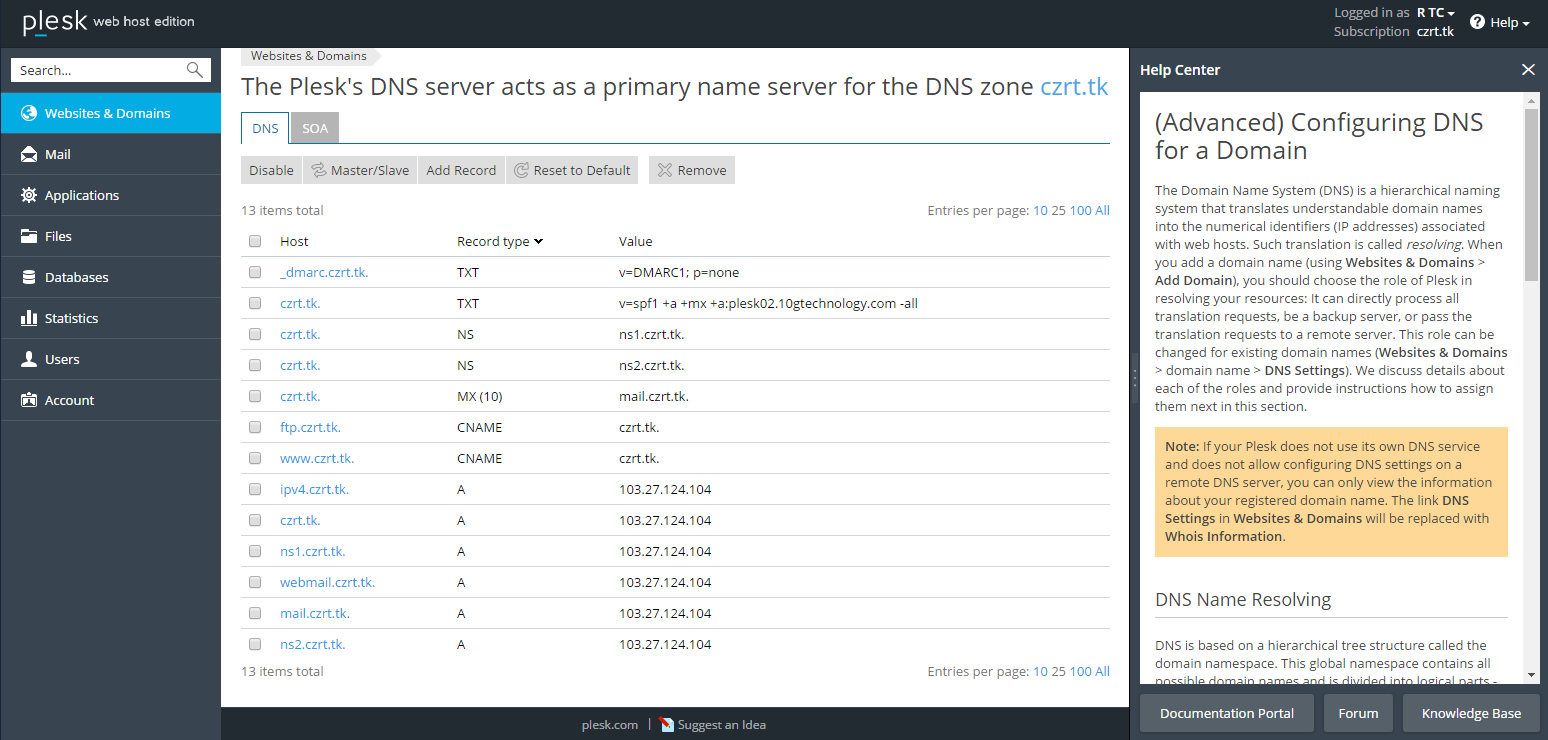
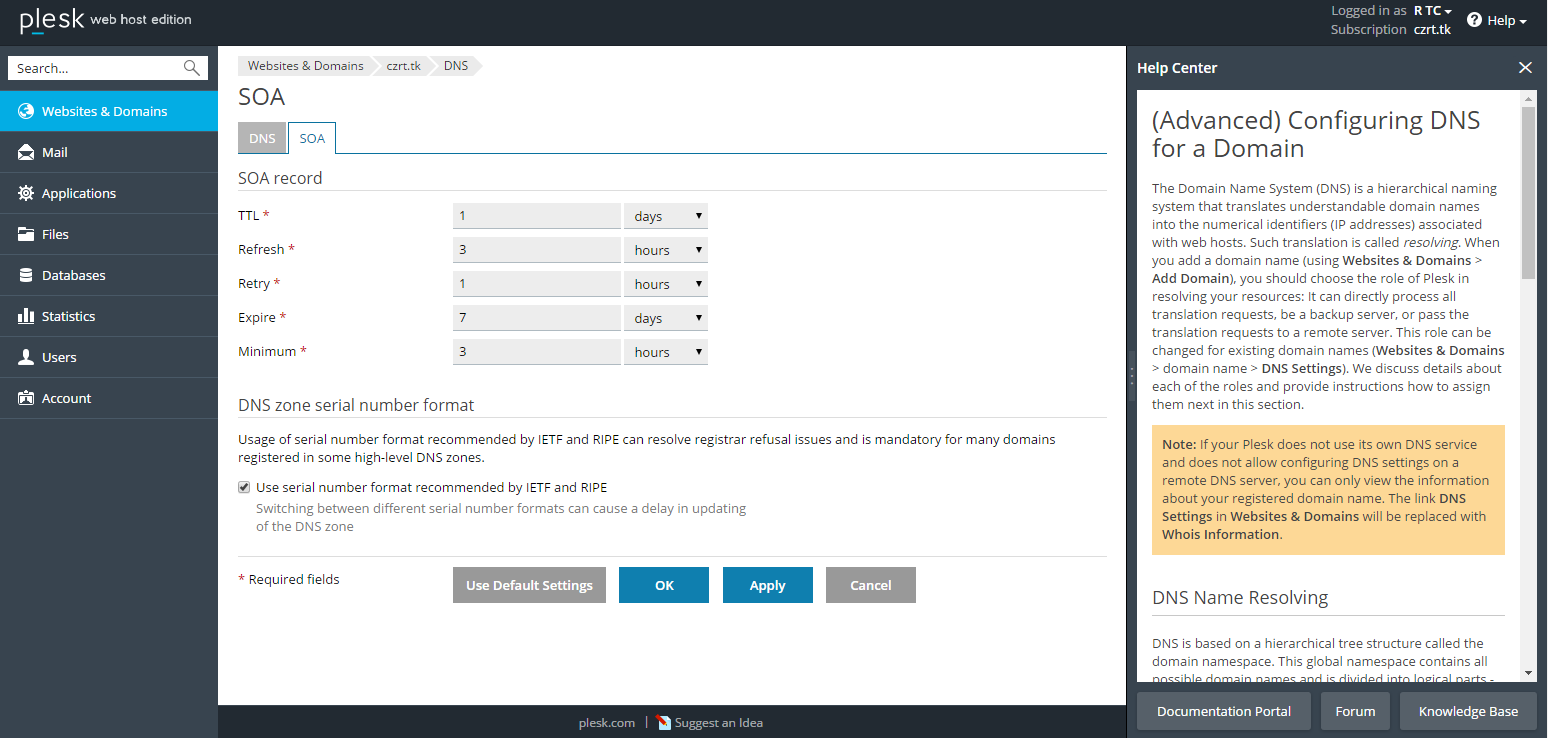
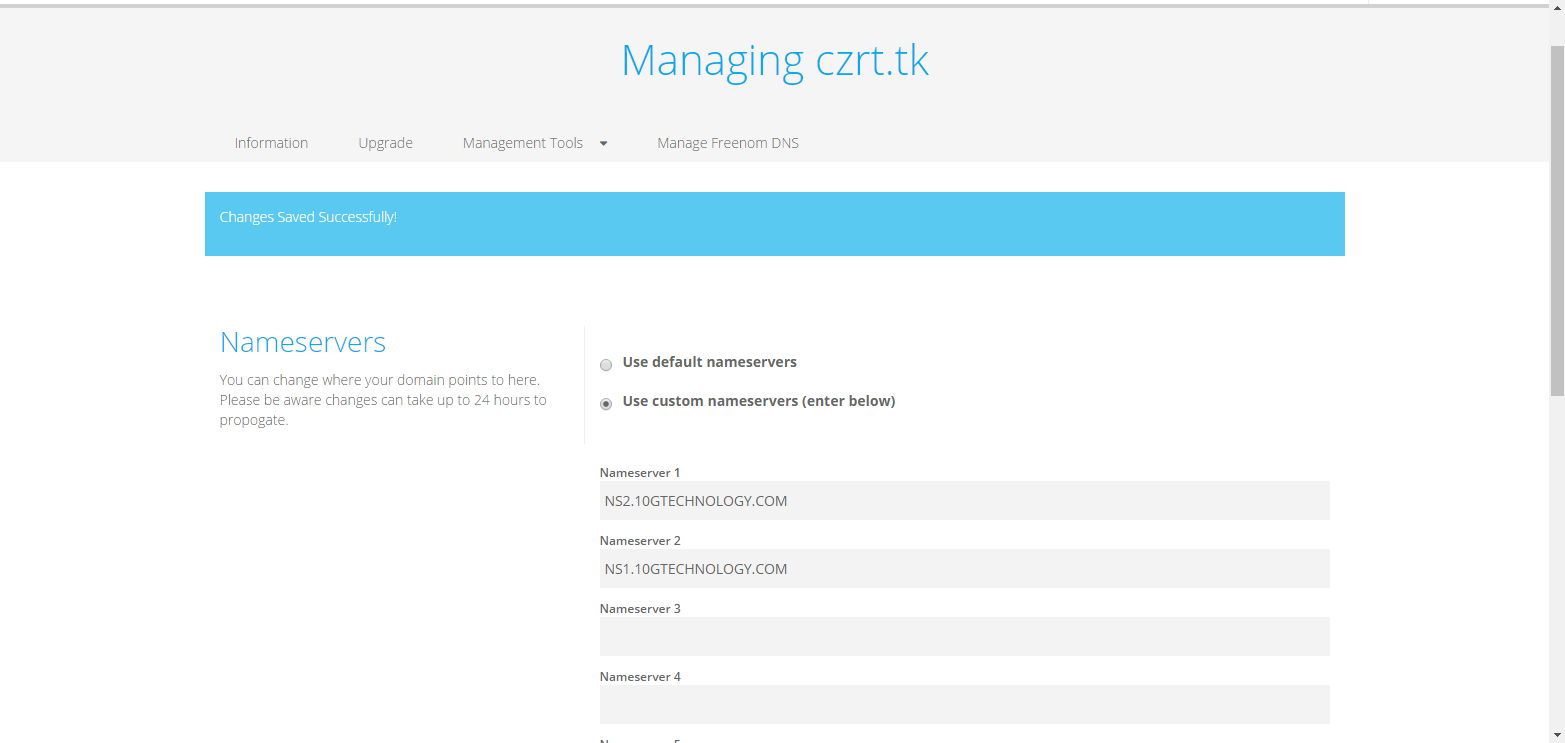
I am a newbie who wants to make a simple webpage. I registered a free domain and tried to point my domain to nameservers but it failed. Here are some captures of my domain setting and DNS setting on plesk:
Sn5C9kh.png
758m5Lv.png
S9aH329.png
I have been working on this issue for 2 days but still not able to fix it. Can someone tell me if I am doing anything wrong with the setting? Thank you.
 
Nameservers specified for your domain in registrar should be the same as in NS records of DNS settings for your domain in Plesk. Or vice versa.
 
Whois doesn't work for your hokeo.tk domain:

$ whois hokeo.tk
[Querying whois.dot.tk]
[whois.dot.tk]
Invalid query or domain name not known in the Dot TK Domain Registry

So, it is not possible to check what is nameservers are specified for your domain on registrar side.
But I would suggest you to use default nameservers of registrar and specify them in Plesk DNS settings as NS records.
At the moment ns1(ns2)hokeo.tk are specified. But how it will work if root domain hokeo.tk doesn't work?
 
The name servers you have mentioned are no pinging that means they are not active. make sure your name servers are registered at the registrar end in order to make them active.
 
The nameservers specified with the domain you suggest should be same as in the records of DNS or else you cannot find it nameserves and must be updated in Plesk too
 
Back
Top