• The new Python extension is now available. It allows customers to deploy and manage WSGI-based Python applications on their websites directly from Plesk.
  • The Plesk Mobile apps for iOS and Android and the Plesk Mobile Center extension have been deprecated, and are no longer available for new installations. In Plesk Obsidian 18.0.84, the Plesk Mobile Center extension will be removed from servers during the upgrade, and the Plesk Mobile apps will lose their server management features.
  • The Social Login extension has been deprecated and will be removed in Plesk Obsidian 18.0.84. After that, it will no longer be possible to log in to Plesk with a Google, Facebook, GitHub account, or with a passkey. Plesk usernames and passwords, as well as logging in with a WebPros Account, are not affected.

Question Fail to point my domain to nameservers

hncf

New Pleskian
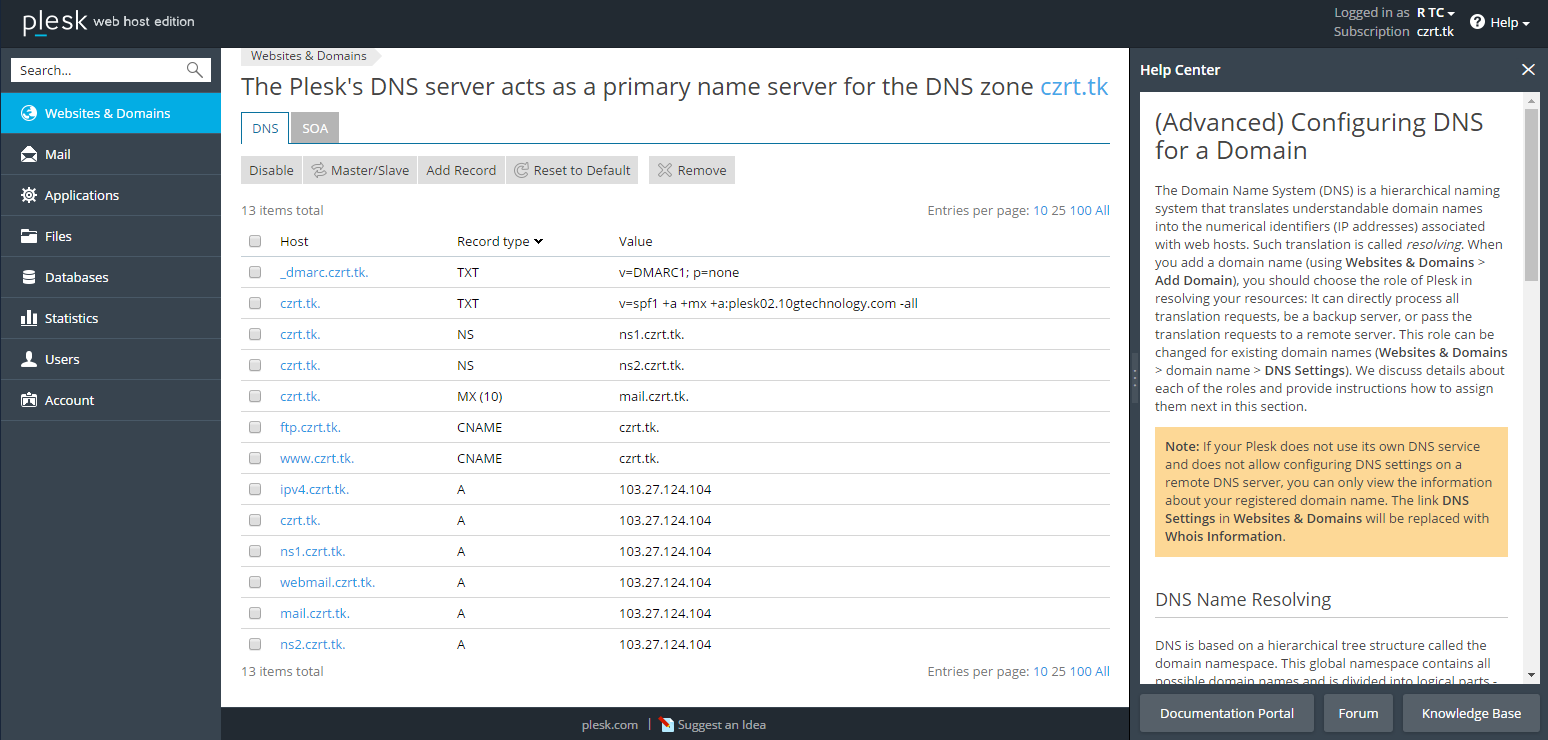
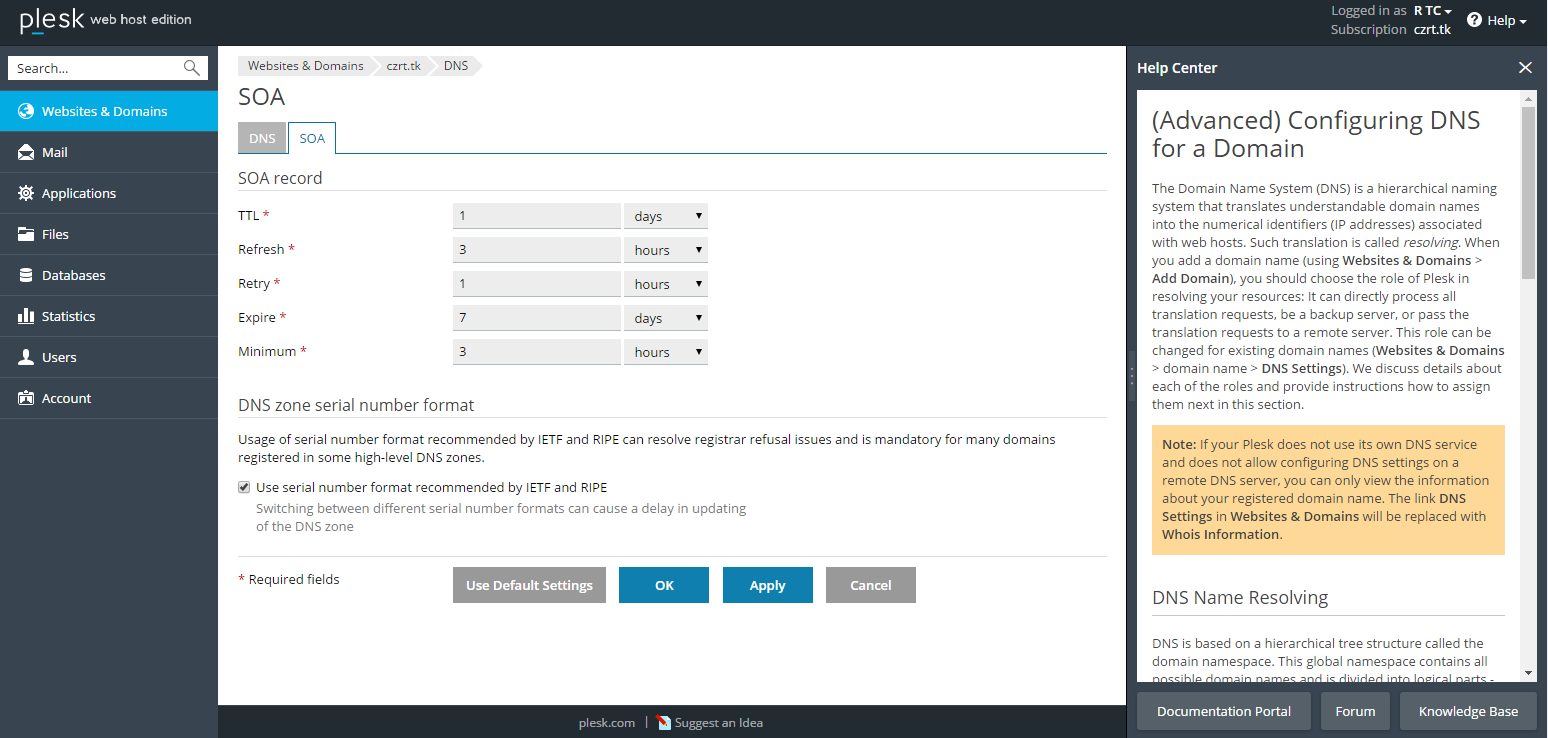
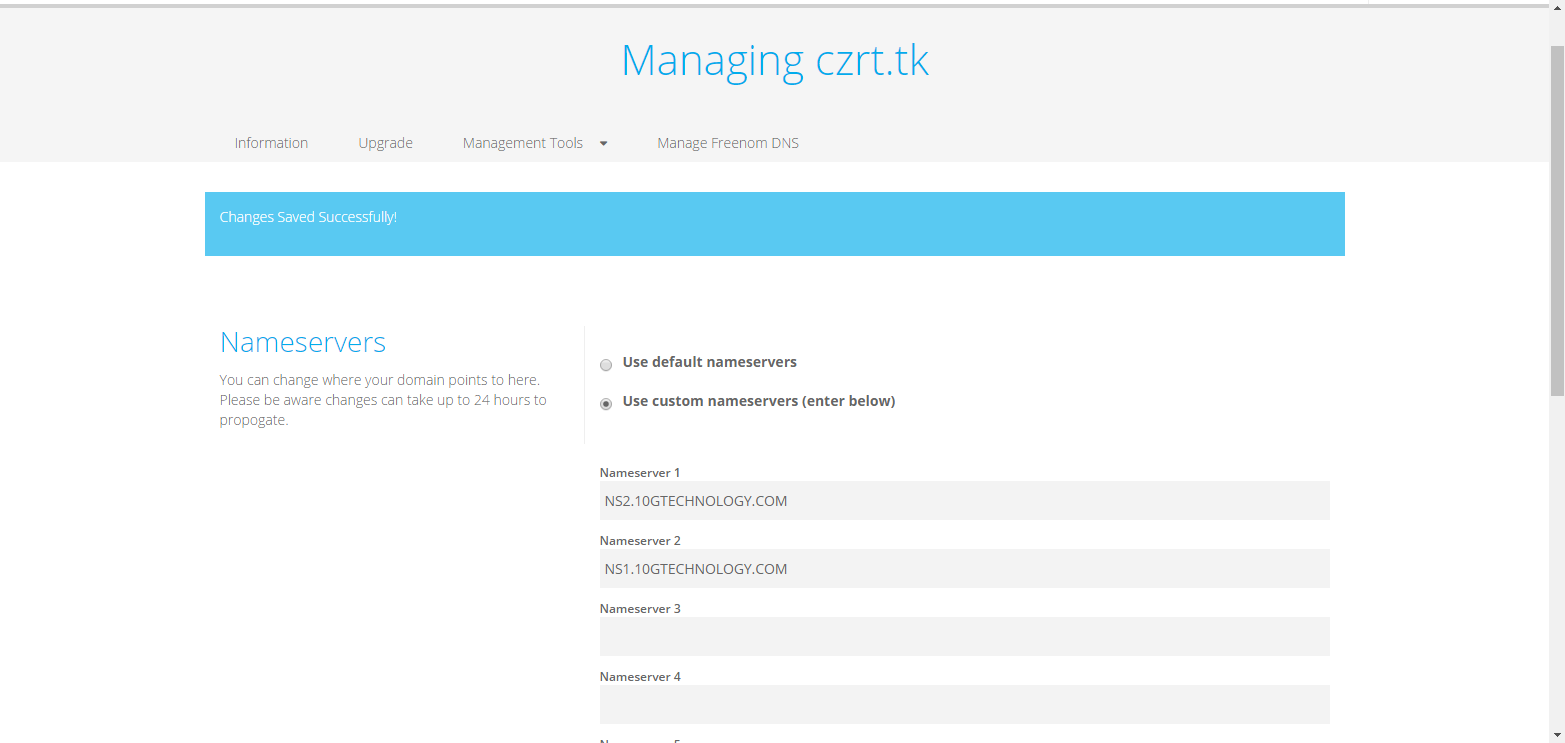
I am a newbie who wants to make a simple webpage. I registered a free domain and tried to point my domain to nameservers but it failed. Here are some captures of my domain setting and DNS setting on plesk:
Sn5C9kh.png
758m5Lv.png
S9aH329.png
I have been working on this issue for 2 days but still not able to fix it. Can someone tell me if I am doing anything wrong with the setting? Thank you.
 
Nameservers specified for your domain in registrar should be the same as in NS records of DNS settings for your domain in Plesk. Or vice versa.
 
Whois doesn't work for your hokeo.tk domain:

$ whois hokeo.tk
[Querying whois.dot.tk]
[whois.dot.tk]
Invalid query or domain name not known in the Dot TK Domain Registry

So, it is not possible to check what is nameservers are specified for your domain on registrar side.
But I would suggest you to use default nameservers of registrar and specify them in Plesk DNS settings as NS records.
At the moment ns1(ns2)hokeo.tk are specified. But how it will work if root domain hokeo.tk doesn't work?
 
The name servers you have mentioned are no pinging that means they are not active. make sure your name servers are registered at the registrar end in order to make them active.
 
The nameservers specified with the domain you suggest should be same as in the records of DNS or else you cannot find it nameserves and must be updated in Plesk too
 
Back
Top