
 Facebook
 Twitter
Hello from few weeks we are having this error when ever client tries to extract or zip file in his folder from Pleask FTP panel, I tried to apply permission and did try its repair tool given below:
"%plesk_cli%\repair.exe" --repair-all-webspaces-security
"%plesk_cli%\repair.exe --synchronize-impersonation-storage"
"%plesk_cli%\repair.exe" --synchronize-protected-directories-storage"
but no use still we get error.
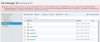
please guide how to tackle this issue, also attached screen shot.
"%plesk_cli%\repair.exe" --repair-all-webspaces-security
"%plesk_cli%\repair.exe --synchronize-impersonation-storage"
"%plesk_cli%\repair.exe" --synchronize-protected-directories-storage"
but no use still we get error.
Unable to extract /httpdocs/file_to_unzip.zip: filemng failed: Unknown error 0x80070005 (COM Error 80070005) at execute "C:\Program Files (x86)\Parallels\Plesk\admin\bin\filemng.exe" username --unpack-archive "--type=zip" "--source=C:\Inetpub\vhosts\DOMAIN.TLD\httpdocs\FILE_TO_UNZIP.zip" "--destination=C:\Inetpub\vhosts\DOMAIN.TLD\httpdocs" at (RunTime::RunAsUser::run line 221) (Error code 1)
please guide how to tackle this issue, also attached screen shot.
Attachments
Last edited:



