• The APS Catalog has been deprecated and removed from all Plesk Obsidian versions.
    Applications already installed from the APS Catalog will continue working. However, Plesk will no longer provide support for APS applications.
  • Please be aware: with the Plesk Obsidian 18.0.78 release, the support for the ngx_pagespeed.so module will be deprecated and removed from the sw-nginx package.

Resolved go-pear.bat

Tiam

New Pleskian
HI
I would like to activate PEAR on my windows server but I can't find the file at this location "go-pear.bat" C:\Program Files (x86)\Plesk\Additional\PleskPHP72.
what to do ?
 
hi,
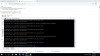
I have the following error when installing PEAR:

what to do ?
 

Attachments

  • pear.png
    pear.png
    93.8 KB · Views: 3
hi,
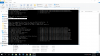
I solved this problem but please find attached the error I encounter during the installation. I am asked for the path of the PHP.exe file.
what to do ?
 

Attachments

  • PEAR1.png
    PEAR1.png
    139.5 KB · Views: 2
Back
Top