Follow along with the video below to see how to install our site as a web app on your home screen.
Note: This feature may not be available in some browsers.
The APS Catalog has been deprecated and removed from all Plesk Obsidian versions. Applications already installed from the APS Catalog will continue working. However, Plesk will no longer provide support for APS applications.
Please be aware: with the Plesk Obsidian 18.0.78 release, the support for the ngx_pagespeed.so module will be deprecated and removed from the sw-nginx package.
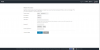
Not to worry! What happened is that you switched to what we call "Power User View". It is an alternative Plesk interface more suited to managing small numbers of domains. To get back to managing your customers and resellers, fill in the fields (just type in any user name and generate a password automatically) and click OK - a subscription will be created for you, and you will be able to log in. Afterwards, you can switch back to the "Service Provider View" - just click Change View in the bottom left part of the screen and select the corresponding option. All your customers and their domains will be there )