• The APS Catalog has been deprecated and removed from all Plesk Obsidian versions.
    Applications already installed from the APS Catalog will continue working. However, Plesk will no longer provide support for APS applications.
  • Please be aware: with the Plesk Obsidian 18.0.78 release, the support for the ngx_pagespeed.so module will be deprecated and removed from the sw-nginx package.

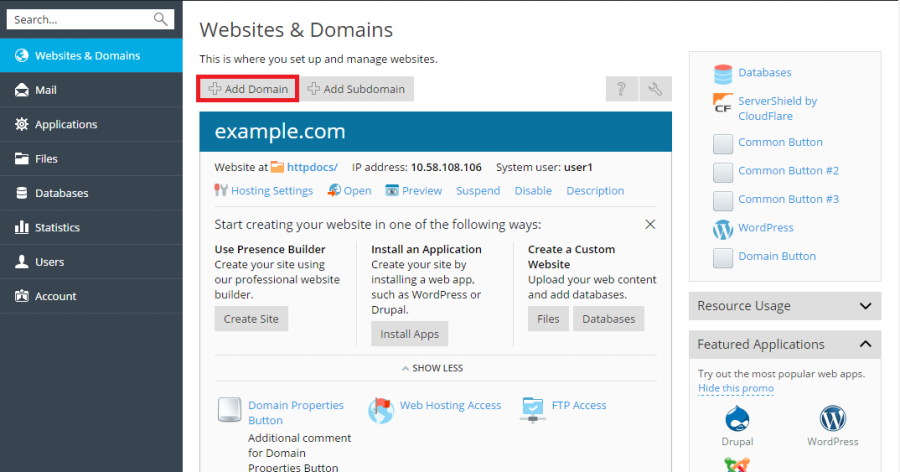
Resolved How can I deactivate the "Add Domain" function

k.ali

New Pleskian
Server operating system version
Ubuntu 20.04.6 LTS
Plesk version and microupdate number
Version 18.0.56 Update #4
76850.webp


Hello, how can I deactivate the "Add Domain" function only, so that it is no longer displayed to the customer? I only want customers to be able to add subdomains, not domains. How can I achieve this, and does anyone have a tip or link for me? Thanks.
 
You can set this in the Service Plans.
Service Plans -> Name of Service Plan -> Permissions -> Show more available permissions.

I see that you're new to Plesk. The Plesk University teaches you this and many other things in the Plesk Obsidian Professional course. It doesn't take much of your time, about 2 hours, and it saves you a lot of time in the end: Plesk University
 
Thank you very much for your help. I found the information I was looking for. Thanks!
I will take a look at that with Plesk University.
 
Back
Top