• Debian 11 is approaching its end-of-life (vendor EOL date - August 31, 2026). Plesk Obsidian 18.0.80 will be the last release to support it.
    If you are running Plesk Obsidian on Debian 11, we recommend you upgrade those servers to Debian 12 using our dist-upgrade tool.
  • We plan to deprecate and remove the support for XML RPC protocol versions earlier than 1.6.9.1 in Plesk Obsidian 18.0.82. We strongly recommend that you update all existing integrations using earlier versions of the XML RPC protocol to comply with the version 1.6.9.1 specification.

how to edit border width of table in "text & image" module ?

kiko buddy

New Pleskian
hi all ,
I'm new here.
I'm try to modify border after I'm create a table in "text & image" area .
I can't find any setting about "border width"
I remember that it is easy to edit in sitebuilder 4.5 .(I'm using 11.5 now)

any idea?
 
oh ! thanks for reply!

yes! i got it but not work .

My step :

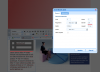
1. click "insert / modify table" button to create a table . (AT that time, i can edit border width of couse)step_1.png

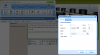
2. when i want to modify the same table a again . i choose the table , then click "insert / modify table" button .step_2.png

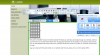
3. that menu show new value only , not my table value. step_3.png

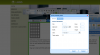
4. I can't see " update "button at menu . it always show" insert"

sorry ,is something wrong ?
 
hi IgorG ,

Finally , i see the "update" button and edit border width when i using FireFox or Chrome .
it is not work in Internet Explorer 11 only . IE11 seems to be problem ^^ ..
 
Back
Top