• Inviting everyone who uses WordPress management tools in Plesk
    The Plesk team is conducting a 60-minute research session that includes an interview and a moderated usability test.
    To participate, please use this link .
    Your experience will help shape product decisions and ensure the tools better support real-world use cases.

How to update correct logical partition size of /var in Plesk panel??

T

tdurham

Guest
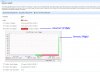
I have updated my logical drive size of /var to 100GB. The chart shows 100GB but the red warning light is still on and it reads (3.67 of 3.99gb). Anyone know how to fix this in Plesk so that it is reading the correct drive size for /var??
 

Attachments

  • Plesk-Partition-Error.jpg
    Plesk-Partition-Error.jpg
    396.5 KB · Views: 7
Found the fix!! here you go.

For anyone who wants to know here is the fix. I can't believe this was so freakin hard to find the answer to!!

Here is a great tutorial on updaing the logical volume sizes on centos (or anything) and I have plesk.

http://faq.1and1.com/dedicated_servers/root_server/linux_admin_help/17.html


Now after you update your logical drives they are not updated in the Plesk health monitor automatically. You have to run this from the command line:

/usr/local/psa/bin/sw-engine-pleskrun /usr/local/psa/admin/plib/scripts/setup-health-monitor.php

That info came from this article:
http://kb.odin.com/en/9431
 
Back
Top