Facebook
 Twitter
LionKing
Regular Pleskian
- Server operating system version
- Ubuntu 24.04.1
- Plesk version and microupdate number
- Version 18.0.66 Update #2
Hello fellas.
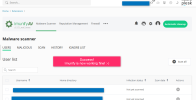
I just attempted to run and upgrade Imunify as per announced recommendation but it fails and will not start the Imunify service.
Here is the error when I tried to start it in the command prompt:

I have no clue what to do from here....
Thoughts?
Thanks in advance!
I just attempted to run and upgrade Imunify as per announced recommendation but it fails and will not start the Imunify service.
Here is the error when I tried to start it in the command prompt:
I have no clue what to do from here....
Thoughts?
Thanks in advance!

 ) .
) .