• Debian 11 is approaching its end-of-life (vendor EOL date - August 31, 2026). Plesk Obsidian 18.0.80 will be the last release to support it.
    If you are running Plesk Obsidian on Debian 11, we recommend you upgrade those servers to Debian 12 using our dist-upgrade tool.
  • We plan to deprecate and remove the support for XML RPC protocol versions earlier than 1.6.9.1 in Plesk Obsidian 18.0.82. We strongly recommend that you update all existing integrations using earlier versions of the XML RPC protocol to comply with the version 1.6.9.1 specification.

Issue Installation error in windows

Orel Cohen

New Pleskian
Hi,
I try to install Plesk Onyx on clean installation of Windows Server 2016 and 2012 R2
and i get the same error.
I try to change the location of installation folder and change the download server to
http://autoinstall-win.pp.parallels.com/
delete all the files and let them to be download again but nothing work..

Please help
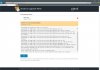
 

Attachments

  • PrtScr capture.jpg
    PrtScr capture.jpg
    139 KB · Views: 9
can you please send to me in Private Message what exactly was downloaded in D:\ParallelsInstaller\parallels\PANEL-WIN_17.0.17\dist-msi-Microsoft-2003-i386\panel-management.msi ?
Anyway, I have reset all caches for this file, you can try installation again.
 
Hi @Orel Cohen,

note: switching to autoinstall-win.pp.parallels.com will take no effect since it's alias to autoinstall-win.plesk.com. So, we recommend to use autoinstall-win.plesk.com to avoid issues in the future.
 
Back
Top