Facebook
 Twitter
Gerardo Fernandez
New Pleskian
- Server operating system version
- Plesk Obsidian 18.0.72
- Plesk version and microupdate number
- Plesk Obsidian 18.0.72 Update 3
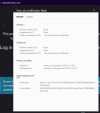
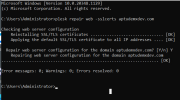
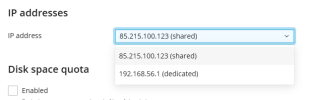
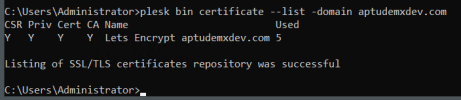
I just renewed the Lets Encrypt certificate, however the site shows as No Secure and when I check the certificate on Chrome, Edge or Brave, instead of the Lets Encrypt cert, it shows the default Plesk certificate, its not taking the new Lets Encrypt cert.
I made sure that in the Hosting section the option to Redirect visitors from HTTP to HTTPS via a SEO friendly 301 redirect is enabled, and it points to the Lets Encrypt certificate.
Is there a way to "force" the domain to use a specific certificate?
I made sure that in the Hosting section the option to Redirect visitors from HTTP to HTTPS via a SEO friendly 301 redirect is enabled, and it points to the Lets Encrypt certificate.
Is there a way to "force" the domain to use a specific certificate?