• The APS Catalog has been deprecated and removed from all Plesk Obsidian versions.
    Applications already installed from the APS Catalog will continue working. However, Plesk will no longer provide support for APS applications.
  • Please be aware: with the Plesk Obsidian 18.0.78 release, the support for the ngx_pagespeed.so module will be deprecated and removed from the sw-nginx package.

max_input_vars and php.ini path

pleskuser

New Pleskian
Hello, I need to increase the max_input_vars for prestashop, I add this variable in the php "Additional configuration directives" and restar the server but nothing change.
Also I try to change it directly into php.ini with same results, nothing change.

In the phpinfo() says
Configuration File (php.ini) Path /usr/lib
Loaded Configuration File /usr/local/lib/php.ini

I enter by telnet and the php.ini isn't in that directory...


how can I change it?

thanks.
 
Try editing the one in /etc/php.ini

NB: Are you running php as an apache module or CGI application?
 
Hello,
I change it in the /etc/php.ini and nothing

I try php in CGI, fastCGI and Apache, but nothing change, in the phpinfo always see CGI/FastCGI
I change this in the service plan->basic->hosting parameters


Thanks
 
did you remember to restart apache and php after the changes?
 
max_input_vars for Prestashop

Hello together,

have found a solutions for Prestashop user

just insert in Plesk Panel >>>Customizing Subscription>>>> YOURDOMAIN.com

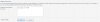
in the Tab PHP Settings scroll down until you can see the textarea like at my screenshot and insert there the Value you need for example max_input_vars = 5000 then click on save and thats it now you can work on the translation.

Greetz

Nico
 

Attachments

  • max_input_vars.JPG
    max_input_vars.JPG
    32.6 KB · Views: 427
max_input_vars for Prestashop

Hello together,

have found a solutions for Prestashop user

just insert in Plesk Panel >>>Customizing Subscription>>>> YOURDOMAIN.com

in the Tab PHP Settings scroll down until you can see the textarea like at my screenshot and insert there the Value you need for example max_input_vars = 5000 then click on save and thats it now you can work on the translation.

Greetz

Nico


Just signed up to write you a big "THANK YOU" Nico.
THANKS

Worked perfect
 
I have had the same issue. I'm just adding this for the people who will need this in the future. Editing stated php.ini file in phpinfo(); doesn't work. You should do it from Plesk Panel as it has been said above.
 
Back
Top