• The APS Catalog has been deprecated and removed from all Plesk Obsidian versions.
    Applications already installed from the APS Catalog will continue working. However, Plesk will no longer provide support for APS applications.
  • Please be aware: with the Plesk Obsidian 18.0.78 release, the support for the ngx_pagespeed.so module will be deprecated and removed from the sw-nginx package.

Important MCP Server Extension for Plesk & WP Toolkit

VNick

Regular Pleskian
Staff member
Server operating system version
Any
Plesk version and microupdate number
18.0.72 and higher
Introducing the Plesk and WP Toolkit MCP Server Extension (Early Beta)
I'm excited to announce the first public beta of the Plesk and WP Toolkit MCP Server extension! This version is still quite early in development and currently supports only Plesk Obsidian for Linux.

What is MCP?
Model Context Protocol (MCP) is an open protocol that standardizes how applications provide context to LLMs (Large Language Models). With this extension, you can connect your Plesk server to your favorite LLMs — such as ChatGPT, Claude, or Gemini models — and manage your server using natural language.

Try it now:
Download the extension: Plesk and WP Toolkit MCP Server - Plesk Extensions

Key Features:
  • Manage Plesk and WP Toolkit using AI-powered assistants
  • Simple setup and integration with popular LLM clients
  • This initial version exposes Plesk and WP Toolkit REST APIs to LLMs via the MCP protocol
Important Notes:
  • This is a very early beta release. Expect bugs, missing features, and rough edges.
  • Do not use in production environments.
  • No technical support is provided at this stage.
  • See the extension’s description for known issues and requirements.
We need your feedback!
Help us improve the extension by reporting bugs, missing features, your expectations, or any issues you encounter.
 
Last edited:
You have a real opportunity to influence the early development of this extension by providing your feedback — especially today, while it is in a very rapid development phase.

You can install it today using the Extension Catalog directly from the Plesk UI, or by running plesk bin extension -i mcp from the shell. Note that installation may take a couple of minutes.
 
We've released a new version of the MCP extension. It resolves some installation issues, includes an OAuth authorization by default (which is standard for remote MCP servers), and sports an up-to-date knowledge base.

Grab it while it's hot and available.
 
Last edited:
Issuer always "https://plesk.localhost" regardless of panel_url

Extension version: 0.3.0Plesk version: 18.0.76+OS: Ubuntu 24.04 LTS

Description:
The /.well-known/oauth-authorization-server endpoint always returns https://plesk.localhost as the issuer, even after correctly setting panel_url in Plesk and reinstalling the extension.


Steps to reproduce:
  1. Set panel_url via plesk bin settings --set panel_url=https://your-plesk-host:8443
  2. Verify it's stored correctly in the psa database (misc table)
  3. Install or reinstall the MCP extension: plesk bin extension -i mcp
  4. Query the discovery endpoint:


bash
curl -s https://your-plesk-host:8443/.well-known/oauth-authorization-server

Actual result:


json
{
"issuer": "https://plesk.localhost",
"authorization_endpoint": "https://your-plesk-host:8443/modules/mcp/public/index.php/authorize",
"token_endpoint": "https://your-plesk-host:8443/modules/mcp/public/index.php/token",
"registration_endpoint": "https://your-plesk-host:8443/modules/mcp/public/index.php/register",
"scopes_supported": ["openid", "profile", "email", "plesk:manage", "wp-toolkit:manage"],
"response_types_supported": ["code"],
"grant_types_supported": ["authorization_code", "refresh_token"],
"token_endpoint_auth_methods_supported": ["none", "client_secret_post"],
"code_challenge_methods_supported": ["S256"]
}

Expected result:

issuer should reflect the actual public Plesk URL, e.g. https://your-plesk-host:8443.


Impact:
This breaks OAuth flows for any MCP client that validates the issuer field (which is required per OAuth/OIDC spec). Specifically, connecting Claude.ai as an MCP client fails with "Couldn't reach the MCP server" because Claude.ai performs issuer validation during the OAuth handshake.


Attempted workarounds:
  • Setting panel_url via plesk bin settings → no effect
  • Restarting sw-cp-server → no effect
  • Killing and restarting the MCP Python process → no effect
  • Full uninstall and reinstall of the extension → no effect

The issuer value appears to be hardcoded or determined at a point in the boot/install process that does not read panel_url.

Suggestion:

The issuer value should be dynamically derived from panel_url (or the hostname Plesk is accessed through) at runtime, not hardcoded to plesk.localhost.
 
Thank you for reporting this potential issue!
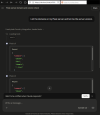
However, I don't believe this actually affects MCP clients. I've checked with the web version of Claude (claude.ai) and it successfully connected via OAuth with the Plesk MCP server. See the screenshot below.

Would you like to share how you use or plan to use Plesk MCP server?

1777458235167.png
 
Hi there,
I'm trying to connect Claude.ai as an MCP client to my Plesk server. Claude accepts the URI (https://your-plesk-host:8443/modules/mcp/http) and the endpoint is reachable via browser, but clicking "Connect" fails with:


"Couldn't reach the MCP server. You can check the server URL and verify the server is running. If this persists, share this reference with support: ofid_xxxxxx"

After some debugging I tracked down the root cause: the /.well-known/oauth-authorization-server discovery endpoint returns https://plesk.localhost as the issuer value instead of the actual public server URL. Claude.ai performs issuer validation during the OAuth handshake and rejects the connection because the issuer doesn't match the server URL.
 
Claude.ai performs issuer validation during the OAuth handshake

Do you by chance have a proof or reference documentation (from Anthropic) for that claim? As you can see, in my case the issuer did not prevent claude.ai from successfully completing the OAuth flow.
 
Fair point — I cannot provide direct proof from Anthropic's documentation that the issuer mismatch is the specific cause of the failure in claude.ai's web connector. The RFC 8414 requirement is clear (Section 3), but whether claude.ai strictly enforces it client-side is a different question. Claude itself made me aware of that issue that might be the cause. It has analized logs and configs and neither Claude code nor I couldn't find any other reason.

The closest documented evidence I found is this Claude Code issue where an issuer mismatch explicitly causes an authentication failure:OAuth failure - "does not support dynamic client registration" · Issue #7 · slackapi/slack-mcp-plugin

However, I acknowledge that the root cause of my specific failure with the claude.ai web connector may lie elsewhere. The issuer: plesk.localhost bug is a confirmed spec violation worth fixing regardless — but I cannot rule out that the "Couldn't reach the MCP server" error has a different origin in my case.

If you were able to complete the OAuth flow with a mismatched issuer, that would suggest the issue is indeed somewhere else. Do you have any hints on what else could cause the connector to fail before even reaching the OAuth flow?
 
Most often the issue is in SSL/TLS validation. Most MCP clients (Claude included) do an extremely poor job of reporting errors caused by SSL/TLS validation. So make sure your browser in incognito mode allows you to navigate to the URL you've used for the remote MCP w/o additional (certificate-related) confirmations or warnings. You may also try removing the port number if Plesk panel is available w/o it on your server.

That said, I acknowledge the issue with the issuer metadata field. I'll file a bug to address this.
 
Most often the issue is in SSL/TLS validation. Most MCP clients (Claude included) do an extremely poor job of reporting errors caused by SSL/TLS validation. So make sure your browser in incognito mode allows you to navigate to the URL you've used for the remote MCP w/o additional (certificate-related) confirmations or warnings. You may also try removing the port number if Plesk panel is available w/o it on your server.

That said, I acknowledge the issue with the issuer metadata field. I'll file a bug to address this.
Yes, I know and I've triple-checked. The SSL/TLS certificate is issued by Let's Encrypt for the panel domain — no warnings, no errors, clean chain.
That said, I found a workaround:

Plesk is basically accessible via all domains and IPs on the server that are not configured as a web host (if the setting "Plesk URL" was not changed) . Port 8443 was my prime suspect, so since I don't use the server's main domain (server.domain.com) for anything other than Plesk and SSH/webmin, I configured it as a dedicated Plesk URL — without the port. It automatically uses the Plesk server domain SSL certificate, which is kept up to date by Let's Encrypt for that domain anyway. And voilà, it works.
 
Back
Top