
 Facebook
 Twitter
dbelkie@everythingclo
New Pleskian
- Server operating system version
- Linux
- Plesk version and microupdate number
- Web Pro Edition
Hi guys!
I have a Plesk server thats License has expired.
I logged into platform360 and found the license with the IP attached to it. It is Active.... So I copied the activation code, went to the expired server and pasted it.... it wont let me activate because it says the IP is already in use on another server.
In Comparing the PLSK.numbers, the one in platform360 does not match the one on the server..... but the one on platform360 DOES match the IP of the server.
So I THINK i need to somehow remove the license from the expired server and applied this new one....?
Does anyone know how I cant do this? This issue is the expired server will only let me get to the expired page:
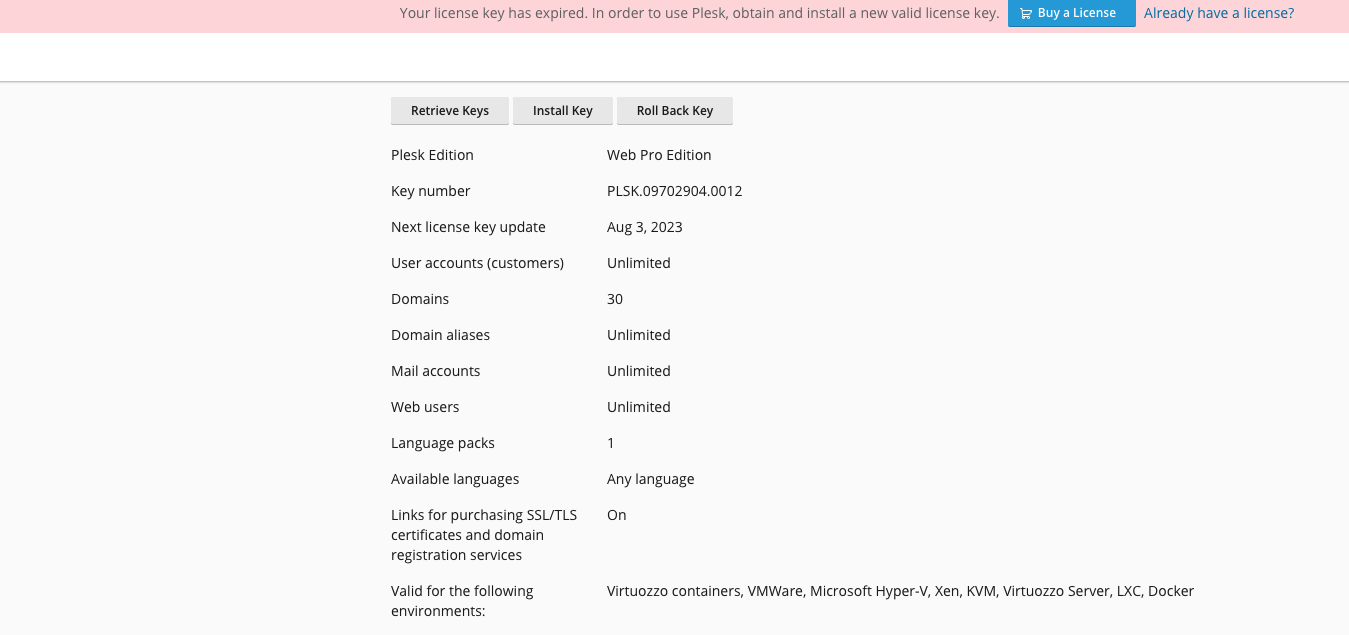
Can someone let me know if I am crazy?
Thanks!
Dan
I have a Plesk server thats License has expired.
I logged into platform360 and found the license with the IP attached to it. It is Active.... So I copied the activation code, went to the expired server and pasted it.... it wont let me activate because it says the IP is already in use on another server.
In Comparing the PLSK.numbers, the one in platform360 does not match the one on the server..... but the one on platform360 DOES match the IP of the server.
So I THINK i need to somehow remove the license from the expired server and applied this new one....?
Does anyone know how I cant do this? This issue is the expired server will only let me get to the expired page:
Can someone let me know if I am crazy?
Thanks!
Dan

