
 Facebook
 Twitter
All new domains (sites) only display the Parallels page. Upgraded to the following ...
Pretty sure it is a permissions problem, have tried chown -R domain.com.au domain.com.au and returns invalid user.
Can now FTP, use webmail, preview the site and have uploaded a pretty big site .... the Paraellels site displays it as 0mb disk space used and only displays the default Parallels place holder.
This is what a new domain name is displaying ######################################
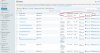
Files listed in the file manager ######################################
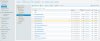
Files uploaded using Filezilla FTP program ######################################
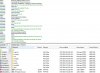
Default place holder ... can't display any other page. ######################################
Have checked all DNS settings and they match the other domains.
Could I please get some advice how to fix this problem please?
OS CentOS 6.5 (Final)
Plesk version 12.0.18 Update #6, last updated at July 3, 2014 06:56 AM
The system is up-to-date; last checked at June 27, 2014 04:43 AM
Plesk version 12.0.18 Update #6, last updated at July 3, 2014 06:56 AM
The system is up-to-date; last checked at June 27, 2014 04:43 AM
Pretty sure it is a permissions problem, have tried chown -R domain.com.au domain.com.au and returns invalid user.
Can now FTP, use webmail, preview the site and have uploaded a pretty big site .... the Paraellels site displays it as 0mb disk space used and only displays the default Parallels place holder.
This is what a new domain name is displaying ######################################
Files listed in the file manager ######################################
Files uploaded using Filezilla FTP program ######################################
Default place holder ... can't display any other page. ######################################
Have checked all DNS settings and they match the other domains.
Could I please get some advice how to fix this problem please?


