• Halloween is coming! To celebrate the occasion, we dusted off a couple of old skins, and even created a brand new one (Pixel).
    To get into the festive spirit, install the Skins extension.
  • The new Python extension is now available. It allows customers to deploy and manage WSGI-based Python applications on their websites directly from Plesk.
  • The Plesk Mobile apps for iOS and Android and the Plesk Mobile Center extension have been deprecated, and are no longer available for new installations. In Plesk Obsidian 18.0.84, the Plesk Mobile Center extension will be removed from servers during the upgrade, and the Plesk Mobile apps will lose their server management features.
  • The Social Login extension has been deprecated and will be removed in Plesk Obsidian 18.0.84. After that, it will no longer be possible to log in to Plesk with a Google, Facebook, GitHub account, or with a passkey. Plesk usernames and passwords, as well as logging in with a WebPros Account, are not affected.

Resolved NextJS image not able to optimization

Server operating system version
AlmaLinux 8.4
Plesk version and microupdate number
18.0.56 Update #4
Hi,

I am get issue while loading the image in NextJS project.
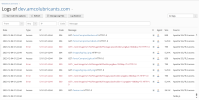
The issue is with NextJS <Image> tag. If I use <Image/> than in production the image not get load/display. It gives 500 error.
If I add unoptimized in <Image /> than it get load in production.

Please help me to resolve it issue.
 
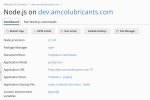
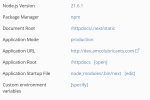
Instead of the App Startup File "node_modules/.bin/next", use the custom server "server.js" as explained on the Next.js website:

Set Document Root to /httpdocs
Set Application Root to /httpdocs

Update the package.json file as explained on the Next.js website:
Code:
{
  "scripts": {
    "dev": "node server.js",
    "build": "next build",
    "start": "NODE_ENV=production node server.js"
  }
}

Run"npm install" -> "npm build" -> "npm start" and the <Image /> tag should work.
 
Instead of the App Startup File "node_modules/.bin/next", use the custom server "server.js" as explained on the Next.js website:

Set Document Root to /httpdocs
Set Application Root to /httpdocs

Update the package.json file as explained on the Next.js website:
Code:
{
  "scripts": {
    "dev": "node server.js",
    "build": "next build",
    "start": "NODE_ENV=production node server.js"
  }
}

Run"npm install" -> "npm build" -> "npm start" and the <Image /> tag should work.
Hi, I have the same problem. But when I run "yarn start" I get a server crash
 
Back
Top