• The APS Catalog has been deprecated and removed from all Plesk Obsidian versions.
    Applications already installed from the APS Catalog will continue working. However, Plesk will no longer provide support for APS applications.
  • Please be aware: with the Plesk Obsidian 18.0.78 release, the support for the ngx_pagespeed.so module will be deprecated and removed from the sw-nginx package.

Resolved On 3 server with plesk I have ERROR: Zend_Db_Adapter_Exception: SQLSTATE[HY000] [2002]

I get the same problem on one of my server. The first one did an automatic update (5.5.52.36- of mysql this night (lucky me, the other was going to do it, I stopped this update).

Trying to reboot, same problem. Starting mysqld gives an error, but nothing in /var/log/mysqld.log
 
Last edited:
I may have found a solution:

The problem is a set of faulty update packages from the atomic repo. I just learnt that you can easily undo yum package updates in CentOS:

https://access.redhat.com/solutions/64069

So, look up the latest update transaction (should be easy, the last one with three changes) and do the undo, as outlined in the above article. Worked for me.

Cheers, René
 
Going back to mysql-5.5.52-36.el6.art.x86_64 mysql-devel-5.5.52-36.el6.art.x86_64 mysql-libs-5.5.52-36.el6.art.x86_64 mysql-server-5.5.52-36.el6.art.x86_64 solved it for me.

This is what I did:

Find the installed version
rpm -qa |grep mysql

Remove the "bad guy".
rpm -e mysql-5.5.54-36.x86_64 mysql-devel-5.5.54-36.x86_64 mysql-server-5.5.54-36.x86_64 mysql-libs-5.5.54-36.x86_64 --nodeps

Install the "old good friend".
yum install mysql-5.5.52-36.el6.art mysql-devel-5.5.52-36.el6.art mysql-server-5.5.52-36.el6.art mysql-libs-5.5.52-36.el6.art
yum check

Back to normal.
service mysqld start
 
I resolved the problem downgrading the update.

On centos do yum history and check the update ID (by the hour of mysql update), then do yum history undo ID (where ID is the ID previously found). Then reboot.
 
Have anybody contacted Atomic support regarding this issue?
 
Another solution is to create the missing folder /var/lib/mysql-files
then chown mysql:mysql
this has solved the problem on 2 server
On the server 3 mysql is on and working but the plesk login has same error
something missing... dunno...
...about plesk no comment...
 
we didnt have a problem with mysql, we had a problem with the plesk update that release mysql update without checking what was doing
thanks
 
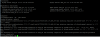
What to do with this ? Also i can't acccess to Plesk admin,
502 Bad Gateway
NGINX
Thanks in advance
 

Attachments

  • Untitled.png
    Untitled.png
    25.2 KB · Views: 7
Back
Top