Follow along with the video below to see how to install our site as a web app on your home screen.
Note: This feature may not be available in some browsers.
The APS Catalog has been deprecated and removed from all Plesk Obsidian versions. Applications already installed from the APS Catalog will continue working. However, Plesk will no longer provide support for APS applications.
Please be aware: with the Plesk Obsidian 18.0.78 release, the support for the ngx_pagespeed.so module will be deprecated and removed from the sw-nginx package.
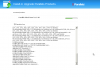
Installation started in background
Determining the packages that need to be installed.
File downloading PANEL-WIN_11.5.30/dist-msi-Microsoft-2003-i386/plesk.msi: completed.
File downloading PANEL-WIN_11.5.30/thirdparty-msi-Windows-any-x86_64/apache-tomcat-7.0.34.exe: 10%..20%..30%..40%..50%..60%..70%..80%..90%..100% was finished.
File downloading PANEL-WIN_11.5.30/thirdparty-msi-Windows-any-x86_64/jre-7u11-windows-x64.exe: 10%..20%..30%..40%..50%..60%..70%..80%..90%..100% was finished.
Installing packages
upgrading Parallels Panel core components...
MSI: Error! The process cannot access the file because it is being used by another process. (Error code 32) at Move file 'C:\Program Files (x86)\Parallels\Plesk\isapi\isapi_redirect.dll' to 'C:\Program Files (x86)\Parallels\Plesk\isapi\isapi_redirect.dll.e2c0a645-281b-4127-bf4e-5cd2587d2620'
Failed to install 'C:\62c8b6839ce27ed43ba34afb9bdb756b\parallels\PANEL-WIN_11.5.30\dist-msi-Microsoft-2003-i386\plesk.msi': Fatal error during installation. (Error code 1603)
Error: The installation of the package 'plesk' failed with code upgrade. (upgrading Parallels Panel core components...: 1603)
Not all packages were installed.
Please, contact product technical support.
while waiting on upgrading Parallels Panel core components as many hours later I got curious to rather to restart the server instead and launched ai.exe then I only had to update components... ran plesk reconfigure repairing plesk file security for just incase. I also made sure ai.exe is in as suggested at http://kb.parallels.com/en/116344
The error states that IIS ISAPI filter file 'C:\Program Files (x86)\Parallels\Plesk\isapi\isapi_redirect.dll' is loaded by IIS and can not be renamed. This is required action on upgrade.
Until the problem is not fixed I can suggest you a workaround.
1. Right prior to upgrade you need to stop IIS
C:\> iisreset /stop
2. Rename the file 'C:\Program Files (x86)\Parallels\Plesk\isapi\isapi_redirect.dll' to 'C:\Program Files (x86)\Parallels\Plesk\isapi\isapi_redirect.dll' to smth like isapi_redirect.dll.bak
3. Start IIS
C:\> iisreset /start
4. Make upgrade
5. Revert the file back to isapi_redirect.dll
Installation started in background
Determining the packages that need to be installed.
File downloading PANEL-WIN_11.5.30/dist-msi-Microsoft-2003-i386/plesk.msi: completed.
File downloading PANEL-WIN_11.5.30/thirdparty-msi-Windows-any-x86_64/apache-tomcat-7.0.34.exe: 10%..20%..30%..40%..50%..60%..70%..80%..90%..100% was finished.
File downloading PANEL-WIN_11.5.30/thirdparty-msi-Windows-any-x86_64/jre-7u11-windows-x64.exe: 10%..20%..30%..40%..50%..60%..70%..80%..90%..100% was finished.
Installing packages
upgrading Parallels Panel core components...
MSI: Error! The process cannot access the file because it is being used by another process. (Error code 32) at Move file 'C:\Program Files (x86)\Parallels\Plesk\isapi\isapi_redirect.dll' to 'C:\Program Files (x86)\Parallels\Plesk\isapi\isapi_redirect.dll.e2c0a645-281b-4127-bf4e-5cd2587d2620'
Failed to install 'C:\62c8b6839ce27ed43ba34afb9bdb756b\parallels\PANEL-WIN_11.5.30\dist-msi-Microsoft-2003-i386\plesk.msi': Fatal error during installation. (Error code 1603)
Error: The installation of the package 'plesk' failed with code upgrade. (upgrading Parallels Panel core components...: 1603)
Not all packages were installed.
Please, contact product technical support.
But now i am getting 401 Authentication Error During logging into my Control Panel. why ?
a login pop-up comes up and asking for Id and password. when i enter my credential its dont work !! - giving 401 un Authorised Access.
Control Panel server is unavailable now
Service Unavailable
HTTP Error 503. The service is unavailable.
the application pool stopped.
and this was the error log
Application pool PleskControlPanel has been disabled. Windows Process Activation Service (WAS) encountered a failure when it started a worker process to serve the application pool.
There is no safe way to abort it. Of course you can close web UI and end task from task manager/press CTRL+C in console. In that case other packager would be installed, if you launch autoinstaller repeatedly. But it's better to refresh page and wait until the process complete.