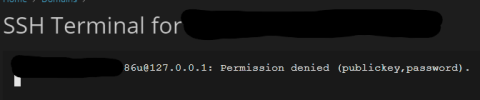
J jaumealcantarago New Pleskian May 7, 2024 #1 Server operating system version Ubuntu 22.04 Plesk version and microupdate number Plesk Obsidian Version 18.0.56 Update #3 I try to access my subdomain from SSH but I get permission denied
Kaspar@Plesk Community Manager up till 07/2024 Plesk Team May 8, 2024 #2 Does that also happen when you open the SSH Terminal on the parent domain?
J jaumealcantarago New Pleskian May 13, 2024 #3 Sí, todavía me da el mismo error, pero esto no ocurría antes. Translation courtesy of admin: Yes, I still get the same error, but this was not happening before. Last edited by a moderator: May 13, 2024
Sí, todavía me da el mismo error, pero esto no ocurría antes. Translation courtesy of admin: Yes, I still get the same error, but this was not happening before.
Kaspar@Plesk Community Manager up till 07/2024 Plesk Team May 13, 2024 #4 Make sure the permissions are correctly set for: /var/www/vhosts/example.com/.ssh/authorized_keys to 644 /var/www/vhosts/example.com/.ssh to 700 Also make sure the PubkeyAuthentication option is set to yes in /etc/ssh/sshd_config. If you make any changes make sure to restart the sshd service: service sshd reload
Make sure the permissions are correctly set for: /var/www/vhosts/example.com/.ssh/authorized_keys to 644 /var/www/vhosts/example.com/.ssh to 700 Also make sure the PubkeyAuthentication option is set to yes in /etc/ssh/sshd_config. If you make any changes make sure to restart the sshd service: service sshd reload
J jaumealcantarago New Pleskian Jun 20, 2024 #5 Now mi path -> Code: /var/www/vhosts/w3bcn.es/.ssh and Code: /var/www/vhosts/w3bcn.es/.ssh/authorized_keys -> I still have the same error
Now mi path -> Code: /var/www/vhosts/w3bcn.es/.ssh and Code: /var/www/vhosts/w3bcn.es/.ssh/authorized_keys -> I still have the same error
Kaspar@Plesk Community Manager up till 07/2024 Plesk Team Jun 20, 2024 #6 Kaspar@Plesk said: Also make sure the PubkeyAuthentication option is set to yes in /etc/ssh/sshd_config. If you make any changes make sure to restart the sshd service: service sshd reload Click to expand...
Kaspar@Plesk said: Also make sure the PubkeyAuthentication option is set to yes in /etc/ssh/sshd_config. If you make any changes make sure to restart the sshd service: service sshd reload Click to expand...
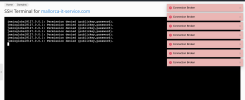
J jeremias New Pleskian Sep 18, 2024 #7 Hey, I'm having exaxctly the same issue. All rights and permissions are set properly. Also the terminal is working for root at global settings page. But for a specific user/domain its not working. Attachments Bildschirmfoto 2024-09-18 um 23.12.11.png 271.7 KB · Views: 3
Hey, I'm having exaxctly the same issue. All rights and permissions are set properly. Also the terminal is working for root at global settings page. But for a specific user/domain its not working.
Sebahat.hadzhi Community Manager Staff member Sep 19, 2024 #8 Could you please double-check the following permissions and provide us with the output: /var/www/vhosts/example.com/.ssh /var/www/vhosts/example.com/.ssh/authorized_keys Click to expand... Thank you in advance.
Could you please double-check the following permissions and provide us with the output: /var/www/vhosts/example.com/.ssh /var/www/vhosts/example.com/.ssh/authorized_keys Click to expand... Thank you in advance.