
 Facebook
 Twitter
G J Piper
Regular Pleskian
Could one of you help me figure out what is going on here? I tried to upgrade from Plesk 12.5 (CentOS 6.8) to Onyx and I'm getting unexpected results. I already upgraded one of my servers, and it went well, so I know how it is supposed to go. However, the next server isn't doing the same thing.
When I click on the link to upgrade to Onyx, I get the first web page as shown here:

But instead of going to the next screen that shows the live status of how the install is going, I get this page instead, where it sits as if it is waiting for me to do something:
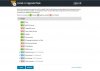
Hitting "continue" at this point just goes to the next component installer page which tells me the "all the components have already been installed and are up to date" message.
Anyone know what to do? Where is the upgrade log found on the server for the Onyx update?
Is there a way to do it from the command-line maybe instead?
One of your experts -- please let me know how I should proceed, if you would.
Thank you.
When I click on the link to upgrade to Onyx, I get the first web page as shown here:
But instead of going to the next screen that shows the live status of how the install is going, I get this page instead, where it sits as if it is waiting for me to do something:
Hitting "continue" at this point just goes to the next component installer page which tells me the "all the components have already been installed and are up to date" message.
Anyone know what to do? Where is the upgrade log found on the server for the Onyx update?
Is there a way to do it from the command-line maybe instead?
One of your experts -- please let me know how I should proceed, if you would.
Thank you.


