Follow along with the video below to see how to install our site as a web app on your home screen.
Note: This feature may not be available in some browsers.
Debian 11 has reached its end-of-life (vendor EOL date - August 31, 2026). Plesk Obsidian 18.0.81 is the last release to support it.
If you are running Plesk Obsidian on Debian 11, we recommend you upgrade those servers to Debian 12 using our dist-upgrade tool.
We plan to deprecate and remove the support for XML RPC protocol versions earlier than 1.6.9.1 in Plesk Obsidian 18.0.82. We strongly recommend that you update all existing integrations using earlier versions of the XML RPC protocol to comply with the version 1.6.9.1 specification.
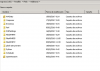
Copy all files from the directory C:\tempMSI\Program Files\Parallels\Plesk\admin\engine to the directory %plesk_dir%admin\engine with replacing the already existing files.
Copy all files from the directory C:\tempMSI\Program Files\Parallels\Plesk\admin\engine to the directory %plesk_dir%admin\engine with replacing the already existing files.
I have already done that in previous steps. Nothing changed.
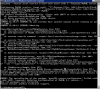
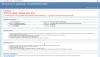
Welll, now is another error, first was C:\Program Files (x86)\Parallels\Plesk\admin\engine\phpcgi.exe - The FastCGI process exited unexpectedly Now is: The FastCGI executable could not be found
Anyway, I really really thank you for your time with me. And really appreciate your help.
One last question, I already tried that submit a request, but I don't see the submit button, and other thing is how can I extract my Plesk version licence withtout the GUI?

 Facebook
 Twitter