Facebook
 Twitter
Good day.
We have a plesk 10.3 VM running on RHEL6.1 which I am trying to upgrade to PLESK 12.0.18.
The PLESK instance has 42000+- Customers.
I have run the autoinstaller from the command line and it take between 36 - 40 hours to complete. It shows that it completes the installation/upgrade.
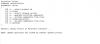
But when I log into the panel is give me error "Failed to update Plesk. To solve this problem, you can send the update log to Parallels support. View the update logs (June 29, 2018). Copy the logs to your computer before you close this message. To close this message, click here."
Please check screen shots below. I have tried upgrade about 4 time and everytime give this. I can supply log file if needed..
What is causing this and how can I rectify it.
We have a plesk 10.3 VM running on RHEL6.1 which I am trying to upgrade to PLESK 12.0.18.
The PLESK instance has 42000+- Customers.
I have run the autoinstaller from the command line and it take between 36 - 40 hours to complete. It shows that it completes the installation/upgrade.
But when I log into the panel is give me error "Failed to update Plesk. To solve this problem, you can send the update log to Parallels support. View the update logs (June 29, 2018). Copy the logs to your computer before you close this message. To close this message, click here."
Please check screen shots below. I have tried upgrade about 4 time and everytime give this. I can supply log file if needed..
What is causing this and how can I rectify it.