Follow along with the video below to see how to install our site as a web app on your home screen.
Note: This feature may not be available in some browsers.
The APS Catalog has been deprecated and removed from all Plesk Obsidian versions. Applications already installed from the APS Catalog will continue working. However, Plesk will no longer provide support for APS applications.
Please be aware: with the Plesk Obsidian 18.0.78 release, the support for the ngx_pagespeed.so module will be deprecated and removed from the sw-nginx package.
hello @Kulturmensch ,
we were not able to reproduce this problem on the latest publicly available Obsidian.
I can provide you only simple recommendations like to clear your browser cache and try to disable advertisment blockers, like adblock/ublock/etc (if they are installed)
in case it did not help you probably should submit technical support request.
- Do you restart your server using Tools & Settings > Server Administration > Server Restart?
- Do you see "JSON.parse: unexpected character at line 1 column 1 of the JSON data" when you do that?
CentOS Linux 7.9.2009 (Core)
Product
Plesk Obsidian
Version 18.0.52 Update #2, last updated on May 3, 2023 11:39 PM
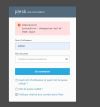
I have get that error sometimes on login page,sometimes when i try to install a extension
What error exactly? Is it exactly "the same" that was discussed in this thread?
- Do you restart your server using Tools & Settings > Server Administration > Server Restart?
- Do you see "JSON.parse: unexpected character at line 1 column 1 of the JSON data" when you do that?