• Debian 11 has reached its end-of-life (vendor EOL date - August 31, 2026). Plesk Obsidian 18.0.81 is the last release to support it.
    If you are running Plesk Obsidian on Debian 11, we recommend you upgrade those servers to Debian 12 using our dist-upgrade tool.
  • We plan to deprecate and remove the support for XML RPC protocol versions earlier than 1.6.9.1 in Plesk Obsidian 18.0.82. We strongly recommend that you update all existing integrations using earlier versions of the XML RPC protocol to comply with the version 1.6.9.1 specification.

Reset System time after Reboot, Zurich not correct Time zone

igraf

Regular Pleskian
hi

1) zurich (europe) is not 0 but +2 hours, same as vaduz (europe)
-> see attachment

2) after a reboot, the system time ist reset

10.4.4 Update #32, CentOS release 5.8 (Final), Linux 2.6.18-308.4.1.el5

What can I do that the system time is set correctly?
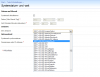
 

Attachments

  • 2012-05-29_202656.png
    2012-05-29_202656.png
    15.8 KB · Views: 4
the problem was the time zone in the operating system

Workaround CentOS 5.x
Firstly you’ll need to know your timezone and/or country, a list can be found in /usr/share/zoneinfo/

ln -sf /usr/share/zoneinfo/Europe/Zurich /etc/localtime
 
Back
Top