Facebook
 Twitter
Hello,
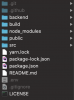
I'm trying to figure out how to properly set up a react app that is using a node/express backend. I already have the nodejs extension downloaded and install from Plesk. I've created my domain and connected Plesk with my Git repo. I've pulled all my files from my repo to the /httpdocs directory and set up the nodejs extension settings. Now what? The question I have is, am I able to run both the backend nodejs and the front react app on the same domain from the same directory? On my local machine, I have both the nodejs backend (backend directory) and the react frontend files located in the same directory (see screenshot). To get the app to work, in my terminal I start the nodejs backend on port 5000, and on another terminal, I start the react frontend on port 3000. How do I do that on Plesk? How do I set up the backend and the frontend in Plesk and have them communicate with each other?
I'm trying to figure out how to properly set up a react app that is using a node/express backend. I already have the nodejs extension downloaded and install from Plesk. I've created my domain and connected Plesk with my Git repo. I've pulled all my files from my repo to the /httpdocs directory and set up the nodejs extension settings. Now what? The question I have is, am I able to run both the backend nodejs and the front react app on the same domain from the same directory? On my local machine, I have both the nodejs backend (backend directory) and the react frontend files located in the same directory (see screenshot). To get the app to work, in my terminal I start the nodejs backend on port 5000, and on another terminal, I start the react frontend on port 3000. How do I do that on Plesk? How do I set up the backend and the frontend in Plesk and have them communicate with each other?