
 Facebook
 Twitter
clayshannon
New Pleskian
I just asked this question on StackOverflow, too, here.
I have uploaded my asp.net files to Plesk's Files/File Manager area:
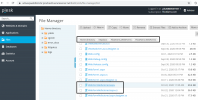
...but the web site won't run. What does run is the pre-existing file "Default.aspx":
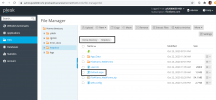
Should I move by WebFormRefactored.aspx and WebFormRefactored.aspx.cs files two levels up to just beneath the "httpdocs" folder and rename them to default.aspx and default.aspx.cs?
And do I need to move all of the files and folders from where they were extracted/unzipped up to within the http docs folder?
Perhaps relevant is that I zipped up my entire project folder, uploaded it to (within) the httpdocs folder (as I understood what your written instructions say to do), and extracted it.
After that, I will need to get my database file populated, but first things first...
I have uploaded my asp.net files to Plesk's Files/File Manager area:
...but the web site won't run. What does run is the pre-existing file "Default.aspx":
Should I move by WebFormRefactored.aspx and WebFormRefactored.aspx.cs files two levels up to just beneath the "httpdocs" folder and rename them to default.aspx and default.aspx.cs?
And do I need to move all of the files and folders from where they were extracted/unzipped up to within the http docs folder?
Perhaps relevant is that I zipped up my entire project folder, uploaded it to (within) the httpdocs folder (as I understood what your written instructions say to do), and extracted it.
After that, I will need to get my database file populated, but first things first...
Last edited: