• The APS Catalog has been deprecated and removed from all Plesk Obsidian versions.
    Applications already installed from the APS Catalog will continue working. However, Plesk will no longer provide support for APS applications.
  • Please be aware: with the Plesk Obsidian 18.0.78 release, the support for the ngx_pagespeed.so module will be deprecated and removed from the sw-nginx package.

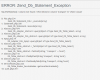
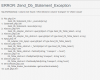
SQLSTATE[42S22]: Column not found: 1054 Unknown column 'transport' in 'where clause'

Pedro Reinoso

Basic Pleskian
I was trying to upgrade from PLESK 11.0.9 to 12.5.30

But after that i got some errors and the process do not complete.

I reboot the VM and now whe i'm trying to acces to Control panel :8443

I see this error:

plesk_Error.png


Are there any solution for me to fix this problem?

Thanks,
 

Attachments
  • pleskError.PNG
    pleskError.PNG
    42.3 KB · Views: 5
Last edited:
What is output of command

# plesk version

Try to run following command for repairing your Plesk

# /usr/local/psa/bootstrapper/ppXXXXX-bootstrapper/bootstrapper.sh repair

where XXXXX is version of your Plesk.
 
Check mysql log. Looks like something wrong with apsc database. Maybe it is corrupted. In this case try to recover it with usual mysql methods.
 
Back
Top