Facebook
 Twitter
- Server operating system version
- Ubuntu 22.04.5 LTS
- Plesk version and microupdate number
- Plesk Obsidian 18.0.64 Update #1
Hello everyone,
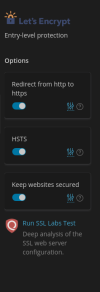
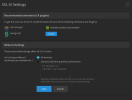
I need to adjust my Severs or Domains TLS cypher settings but the panel to adjust those is missing all of a sudden. Please see the pictures attached. I looked through all the documentation and searched the forum and there is no mention of this option having been removed at all. Am I missing something?
I need to adjust my Severs or Domains TLS cypher settings but the panel to adjust those is missing all of a sudden. Please see the pictures attached. I looked through all the documentation and searched the forum and there is no mention of this option having been removed at all. Am I missing something?