• Debian 11 is approaching its end-of-life (vendor EOL date - August 31, 2026). Plesk Obsidian 18.0.80 will be the last release to support it.
    If you are running Plesk Obsidian on Debian 11, we recommend you upgrade those servers to Debian 12 using our dist-upgrade tool.
  • We plan to deprecate and remove the support for XML RPC protocol versions earlier than 1.6.9.1 in Plesk Obsidian 18.0.82. We strongly recommend that you update all existing integrations using earlier versions of the XML RPC protocol to comply with the version 1.6.9.1 specification.

Resolved unable to select different php version

Epizefiri

Basic Pleskian
Hi there,
I'm running Plex Obsidian 18.0.39 on ubuntu 18.04. For some reason when i select php options under my domains I can't select a different version of php.
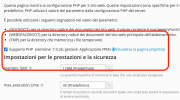
Senza nome.png


If i check under PHP Settings I have several versions of PHP installed
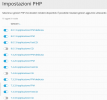
Senza nome 2.png

but when I go under "services" it says that the service is not configured and I can't start it
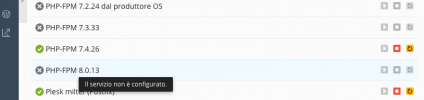
Senza nome 3.png

Am I doing something wrong?
 
Did you check the "Service plans" permissions tab? There should be a "PHP version and handler management":

Screenshot 2021-11-23 at 11.59.18.png
 
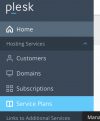
- Go to "Services Plans"

Screenshot 2021-11-23 at 15.03.52.png

- Click on the service plan you're using
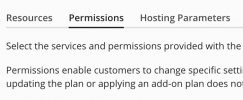
- Click on "Permissions"
Screenshot 2021-11-23 at 15.05.07.png
 
If you don't see "Service Plans", you are using the "Power User view".
In that case you have to switch to "Service Provider view".

Screenshot 2021-11-23 at 15.07.34.png
 
I don't have access to those views.
I have a vps with root access, but plesk was installed by my hosting provider.
Should I ask to my hosting provider or do I have a way to enable it by myself?
 
Huh? If you have access to the PHP-section like in your first post, than you should have access to the service plans.
If not, please ask your hosting provider to alter your rights to manage the Plesk installation.
 
Back
Top