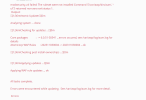
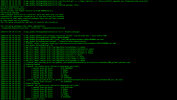
S siro New Pleskian Nov 3, 2023 #1 Server operating system version Ubuntu 18.04.6 LTS - bionic Plesk version and microupdate number 18.0.56 I get this error when trying to use Atomic rules in Modsec
P Peter Debik Community Manager until 3/2024 Plesk Team Nov 3, 2023 #2 Please try this solution to solve the unmet dependency issue: Login to the server via SSH Check if any 3rdpary repositories are enabled. Disable the according to https://support.plesk.com/hc/en-us/articles/213367169 . Remove "libapache2-modsecurity" package from the system: # dpkg -P --force-all libapache2-modsecurity Execute below command to configure packages: # apt-get -f install Install python-openssl # apt-get install python-openssl Reinstall manually Plesk updates: # plesk installer update --repatch
Please try this solution to solve the unmet dependency issue: Login to the server via SSH Check if any 3rdpary repositories are enabled. Disable the according to https://support.plesk.com/hc/en-us/articles/213367169 . Remove "libapache2-modsecurity" package from the system: # dpkg -P --force-all libapache2-modsecurity Execute below command to configure packages: # apt-get -f install Install python-openssl # apt-get install python-openssl Reinstall manually Plesk updates: # plesk installer update --repatch